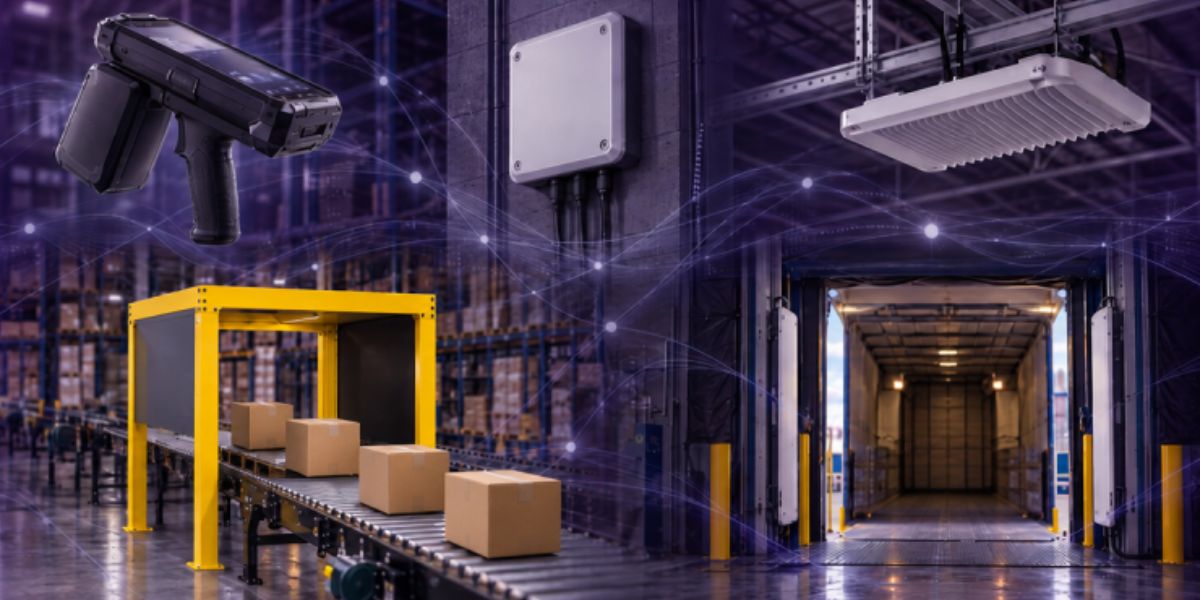
RFID Asset Tracking: The Hardware You Need and How It Works
RFID asset tracking needs tags, readers, antennas and software. See which hardware fits audits, doorways and rooms, plus a real Levata deployment.

My Cart
—
Incl. VAT
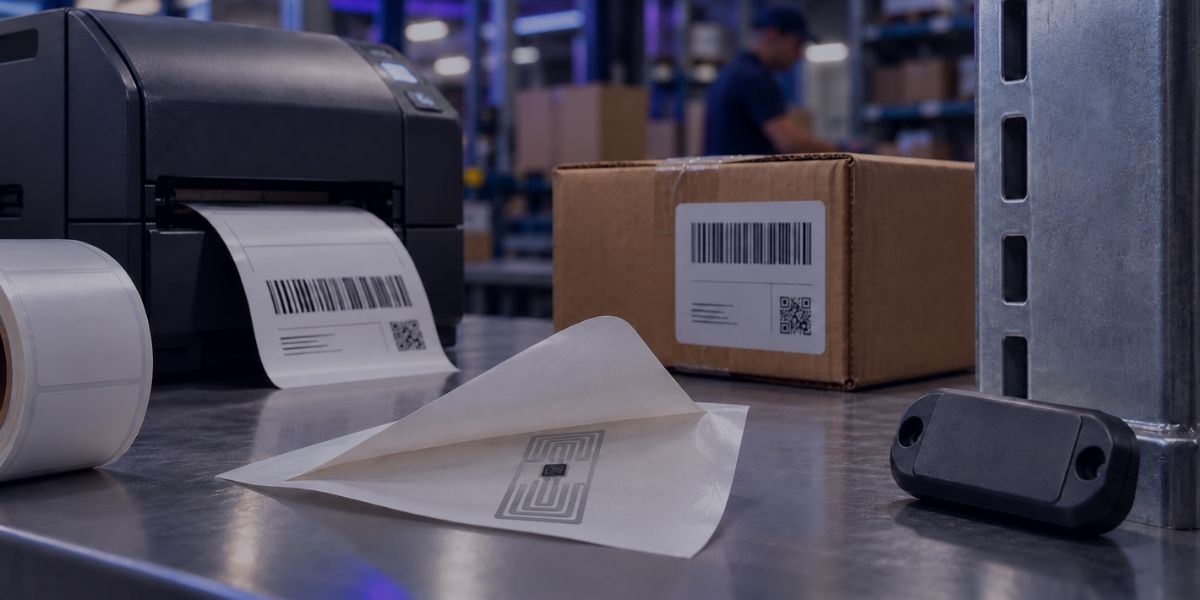
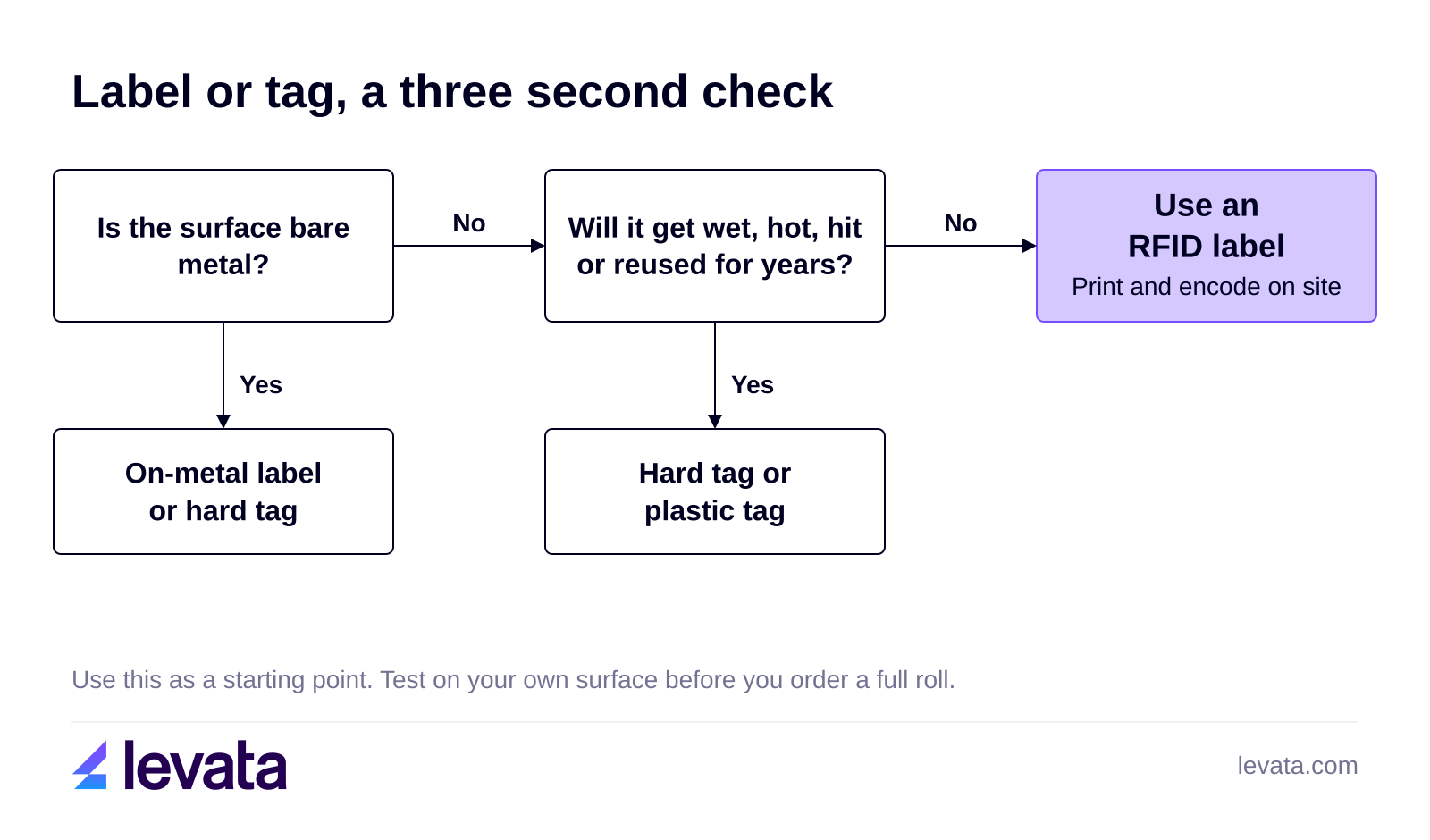
RFID labels are RFID tags built into an adhesive label with a printable face, so they are the right choice when you need to print and encode tags on demand for flat surfaces such as boxes, cartons, totes and shipping labels. A hard tag or an on-metal tag is the better choice when the item is metal, wet, hot or reused for years, because a thin label has no housing and loses range when it sits on bare metal. This guide covers the types of RFID labels, how they are printed and encoded, and how to choose between a label and a tag.
In this guide
What is an RFID label, and how is it different from an RFID tag?
How much do RFID labels cost, and when is a barcode label enough?
An RFID label is an RFID tag that has its inlay sealed inside an adhesive, printable label. Tag is the broader term for any RFID device with a chip and an antenna. In this manufacturer’s overview, Zebra says the two words are often used interchangeably, so check what a supplier means before you order.
The inlay that contains the chip and antenna does the work. It is a microchip joined to an antenna on a flexible base. The label face and adhesive around it, called the carrier, protect the inlay and give you a surface for text and a barcode. Carriers can be adhesive labels or tags with no adhesive, in different sizes and stiffness, so the carrier is what separates a label from a hard tag.
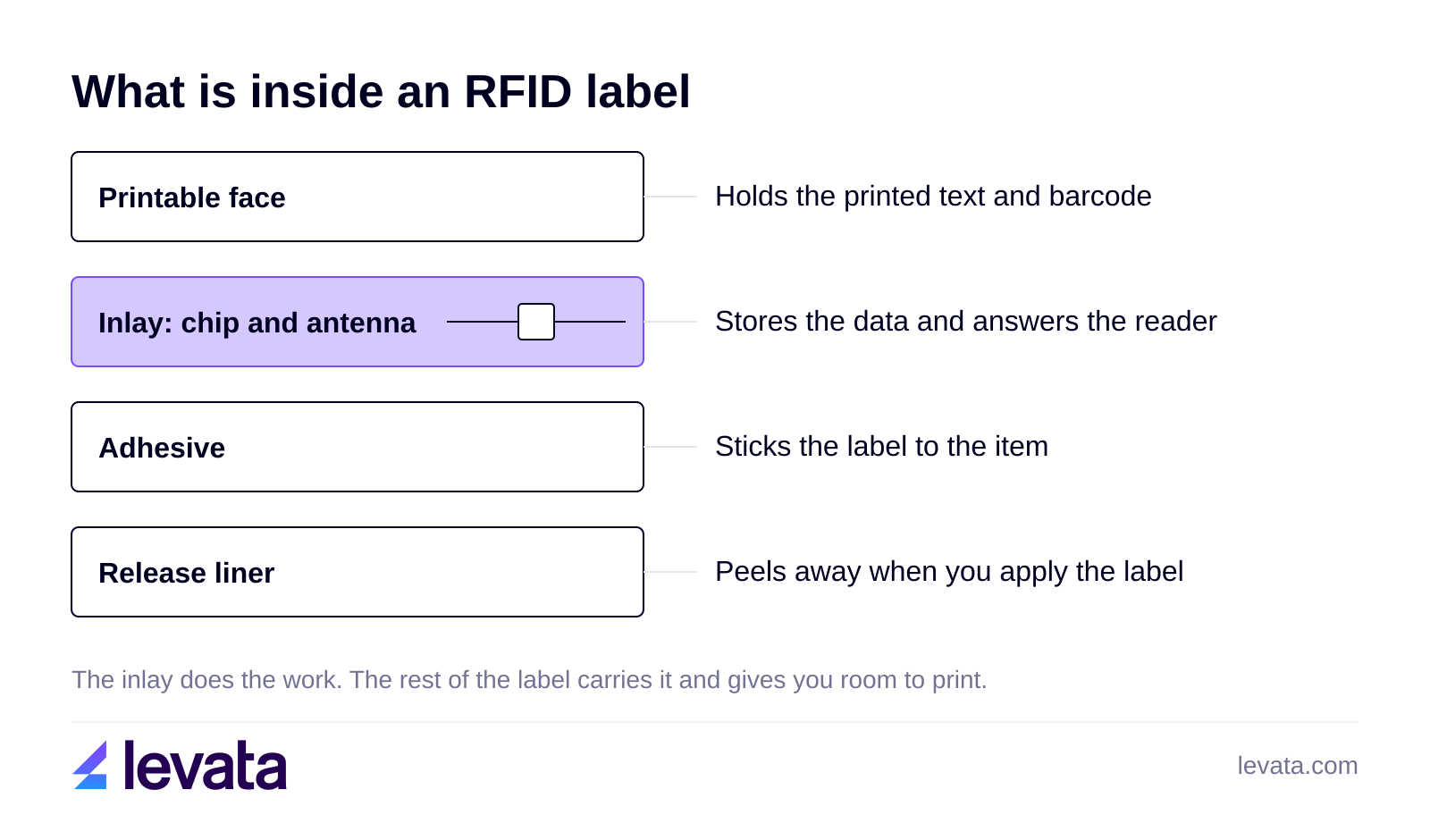
Levata sells RFID tags as label tags, plastic tags and hard tags. The label version is the one you print on, and the other two are built for assets that need more protection.
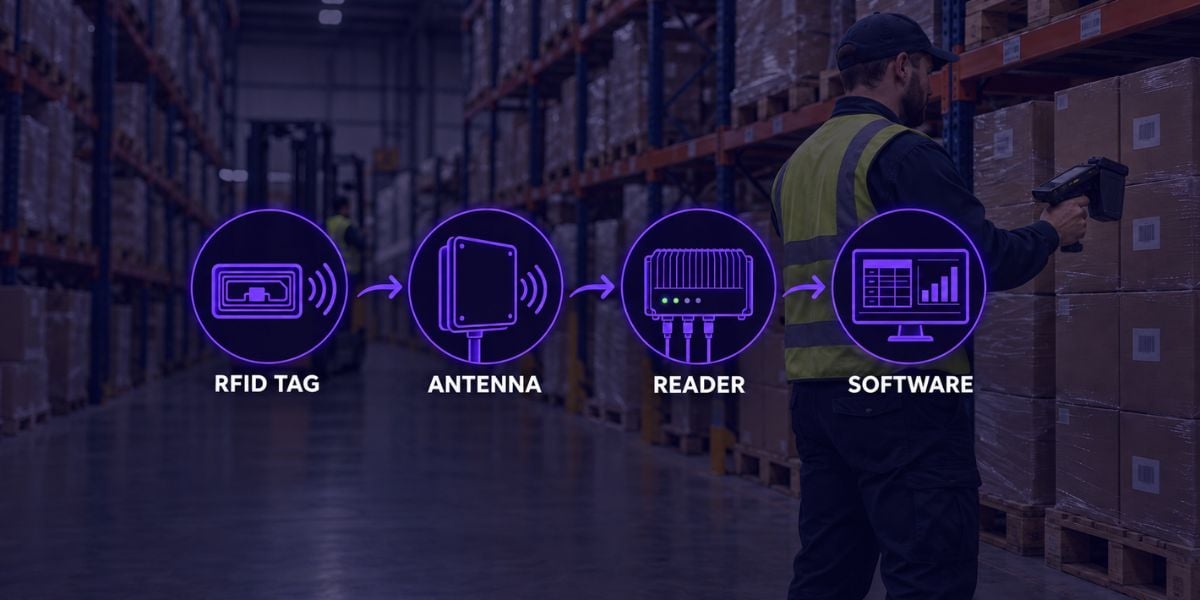
RFID labels work by drawing power from a reader's radio signal, so a passive label needs no battery. The reader antenna sends a signal, the chip in the label wakes up and sends back the data it stores, and the reader passes that data to your software.
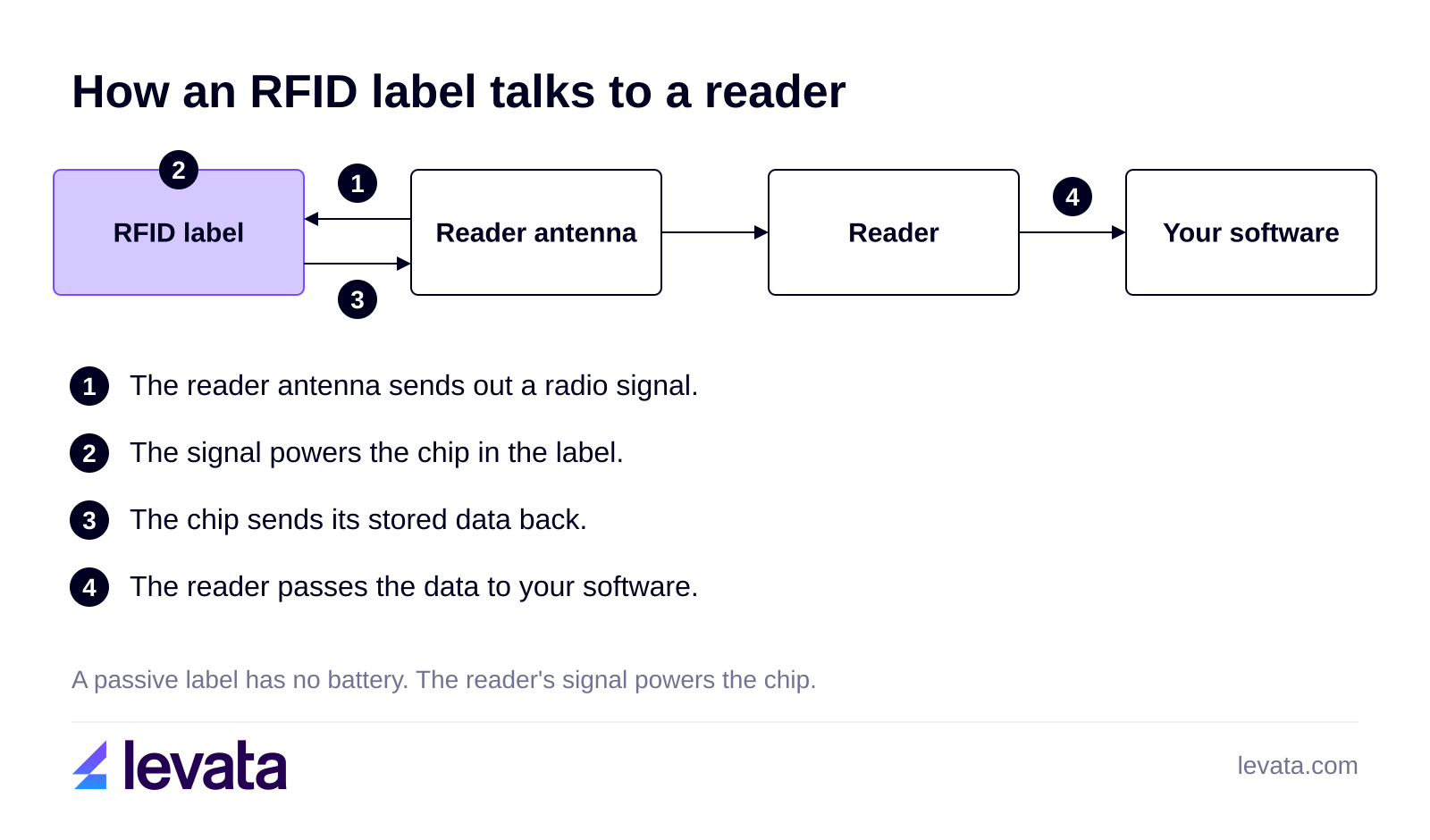
The chip holds three kinds of data, as is agreed by Zebra: data about the item in the EPC memory bank, data about the label itself such as the manufacturer, and data that makes the label work, such as passwords. Common EPC sizes are 96 and 128 bits. A label does not need to face the reader, because, as Zebra notes, it can be read through materials and from a distance.
Most UHF labels follow the ISO/IEC 18000-63 air interface, also known as GS1 UHF Gen2. The RAIN RFID Alliance uses the name RAIN RFID for products that comply with it.
RFID labels are used to track merchandise and inventory in retail, shipments in warehouses, medical devices and supplies in healthcare, and work in process in manufacturing. Zebra describes the retail, warehouse and healthcare uses, and TEKLYNX shares information about work in process, tool tracking and IT asset tracking. The pattern is the same in each: a label goes on an item at the point of use, and a reader counts or locates it later.
There are four ways RFID labels differ, and each one sets a type: the print method, the surface, the radio frequency and the size.
| Choice | Options | Check before you buy |
|---|---|---|
| Print method | Thermal transfer or direct thermal | Which method your printer uses. Example: Zebra Z-Perform 1500T label is thermal transfer. |
| Surface | Standard label or on-metal label | Metal detunes a standard label. An on-metal label has a foam layer between the antenna and the metal. |
| Frequency | UHF (ISO/IEC 18000-63) or HF and NFC (ISO/IEC 15693 and 14443) | Your reader and printer must support the same frequency and tag type. |
| Size | 60 x 25 mm, 76 x 14 mm, 100 x 40 mm and others | The size must fit your printer's label limits. |
Levata lists thermal transfer and direct thermal RFID labels, including the Zebra Silverline Blade II at 60 x 25 mm, the Silverline Classic II at 100 x 40 mm and the Z-Ultimate 2000T at 76 x 14 mm. On-metal labels add a thin foam layer that keeps the antenna off the metal, as RFID Journal explains.
RFID labels are printed and encoded in one pass on an RFID printer, which prints the text and barcode on the face and writes the data to the chip as the label feeds through. You design the label in software that supports RFID, choose the tag type and a numbering system such as GS1 EPC, and send the job. Check out this walk through by TEKLYNX, and note that the chip data does not show in the print preview.
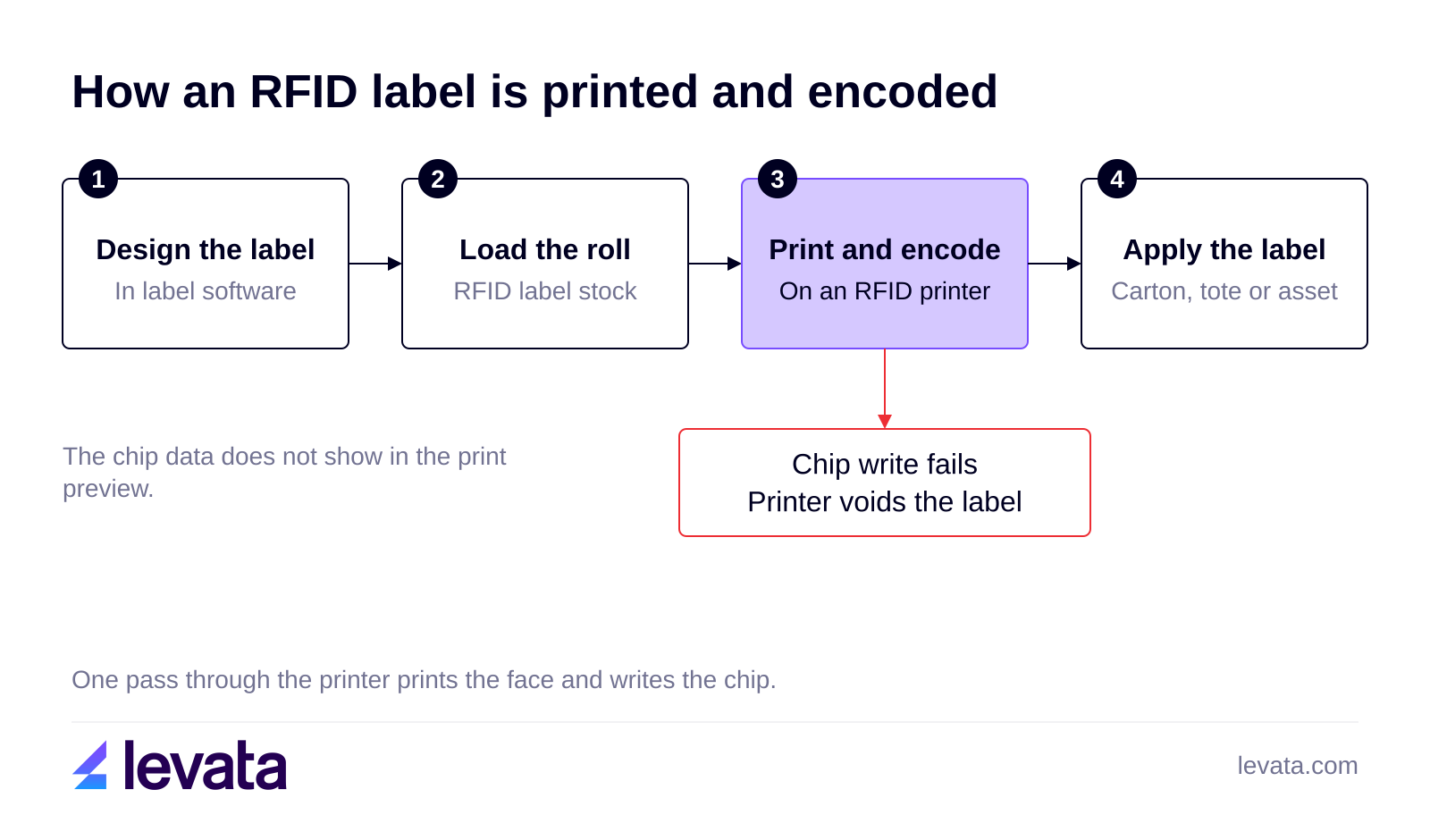
Levata sells label printing software and RFID printers in three groups. Industrial models suit high volume, and desktop models suit small to medium volume. Mobile models let you label where the item sits. Premium Guard put RFID label printers on powered carts to label boxes on the warehouse floor.
Before you buy a roll, confirm that the printer supports RFID and the tag type you plan to use. This next section shows what happens when the two do not match.
An RFID printer voids a label when it cannot write and verify the chip, and Zebra's ZT411 guide points to four causes: calibration, an unsupported tag type, transponder placement and radio interference from nearby readers.
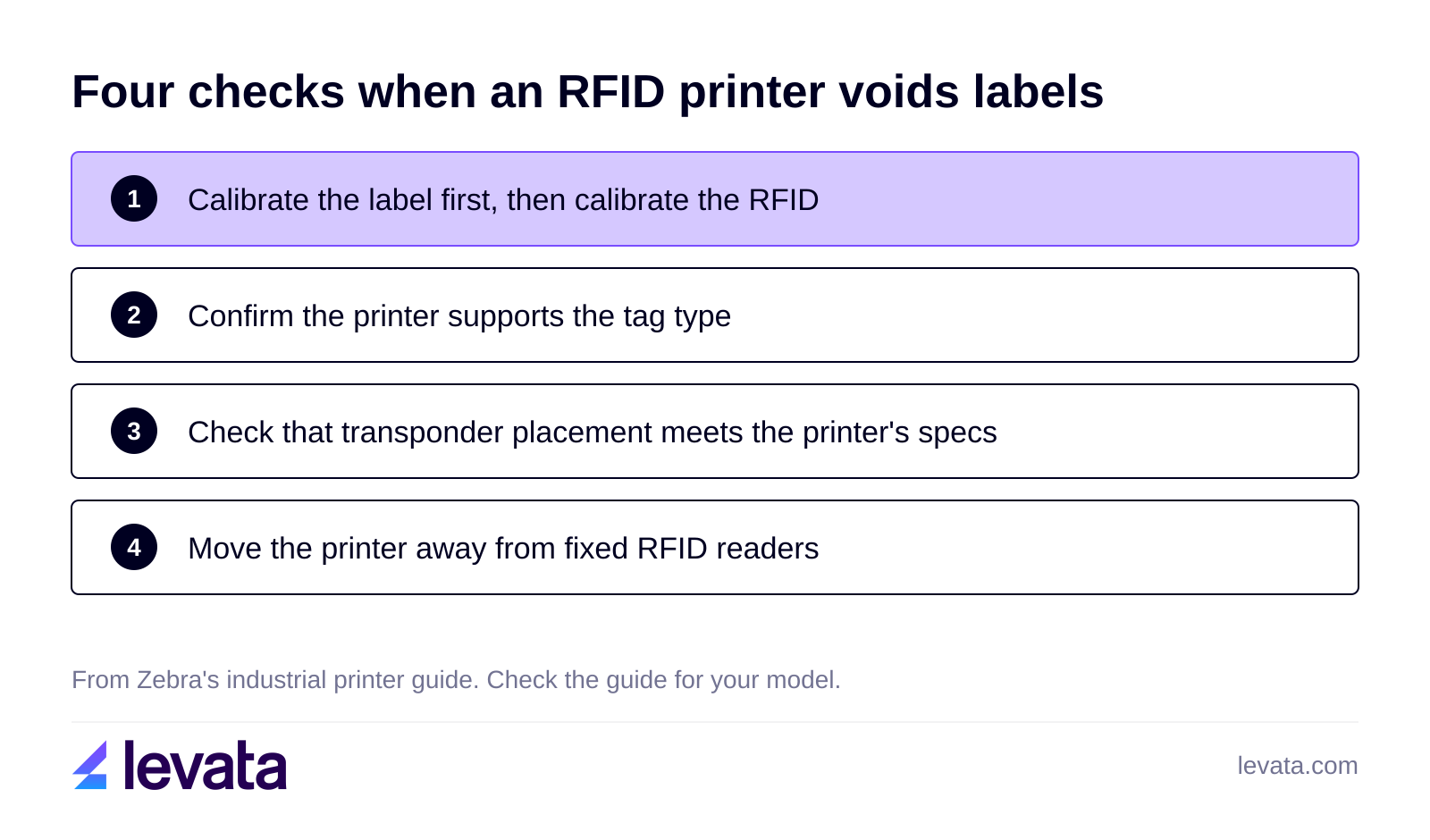
If the printer voids every label, run the manual sensor calibration. A Zebra representative on Zebra's developer forum describes the order as calibrating the label first and then the RFID. If the guide says your tag type is not supported, the label does not match the printer. If the transponder sits where the printer cannot program it reliably, the label misses the printer's placement specs, and Zebra publishes a placement list at zebra.com/transponders.
If a fixed RFID reader sits near the printer, move the printer away from it. Zebra also lists a firmware update as a step to try. These steps come from one Zebra model, so check the troubleshooting recommendations for your own printer and brand.
Use an RFID label over an RFID tag when you want to print and encode on demand and the item has a flat surface that is not bare metal. Choose a tag, or an on-metal label, when the item is metal, wet, hot, hit often or reused for years.
| Situation | Better choice | Why |
|---|---|---|
| Cartons, totes and shipping labels | RFID label | You print the barcode and encode the chip in one pass. Premium Guard relabeled over 600,000 boxes this way. |
| Bare metal tools, racks and equipment | On-metal label or hard tag | Metal detunes an ordinary tag, and an on-metal tag adds a foam layer. |
| Reusable containers that make many trips | Hard or plastic tag | A container is used again and again, so it needs a carrier built to last. Adient tagged 875,000 returnable containers after losses of up to $1,500 each. |
| Wet, hot or chemical exposure | Hard tag, plastic tag or synthetic label | Zebra offers over 100 pretested carrier materials, so ask whether a synthetic label survives before you move to a tag. |
Because a label leaves with the item, it fits things that do not come back. A tag fits assets that return, since you attach it once and reuse it for many trips. Levata's Adient case study shows the container side of the choice.
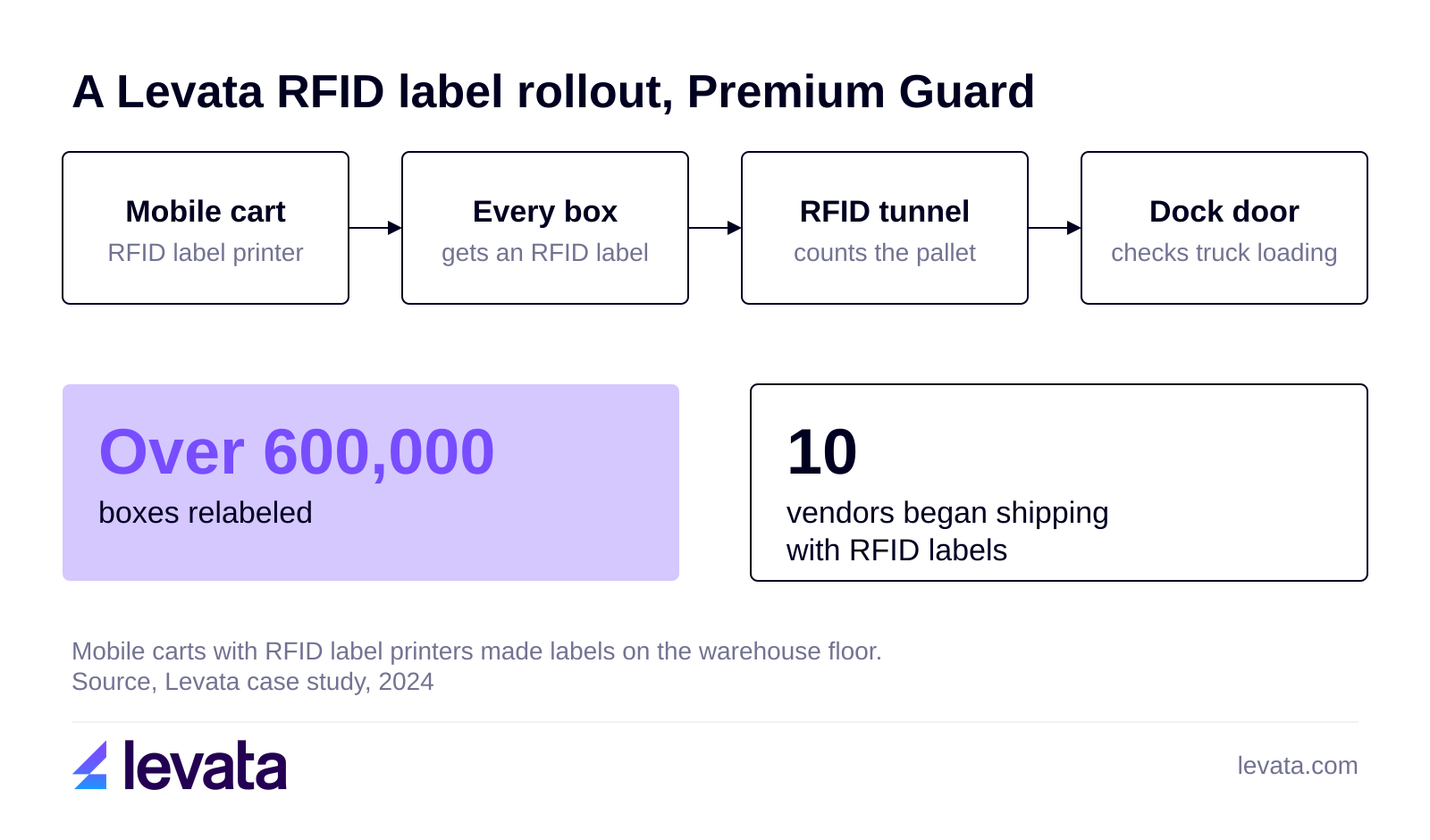
An RFID label rollout looks like Premium Guard's, an aftermarket auto parts maker that wanted fewer shipping errors and chargebacks. The company relabeled over 600,000 boxes, and ten vendors began putting RFID labels on their shipments.
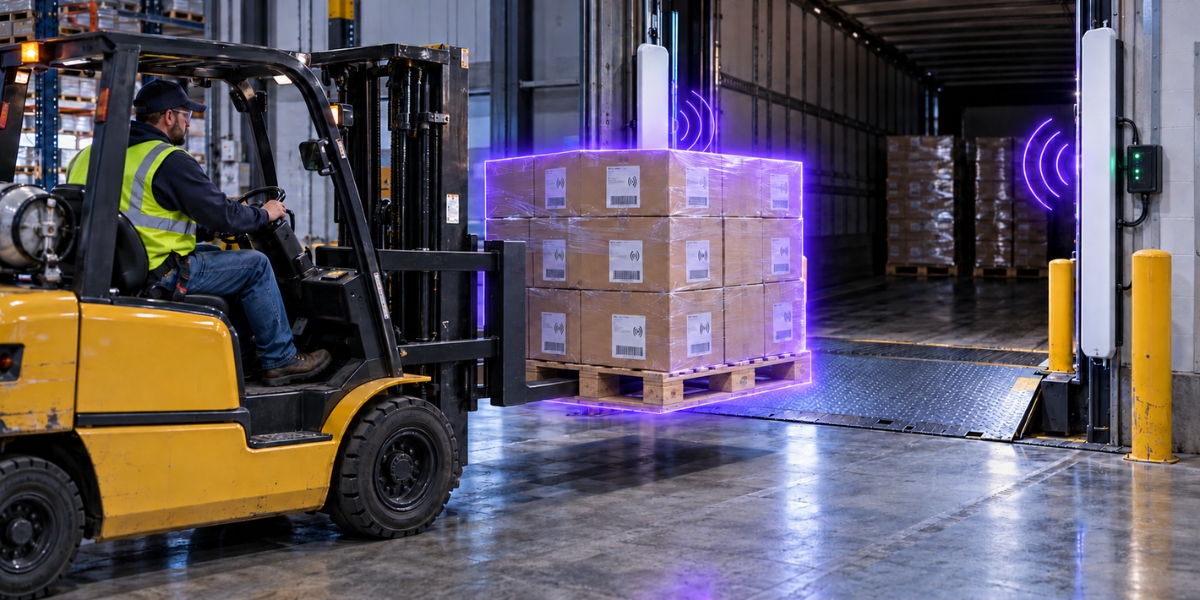
Powered mobile carts with RFID label printers and label supplies let staff label on the warehouse floor. A custom RFID tunnel counts pallet contents against the ERP, dock doors check that shipments load on the right trucks, and mobile readers handle cycle counts. The case study reports highly accurate scanning and stronger visibility, and gives no accuracy percentage, so none is quoted here. Premium Guard plans to extend the same process to other large customers, with a dedicated dock door for each.
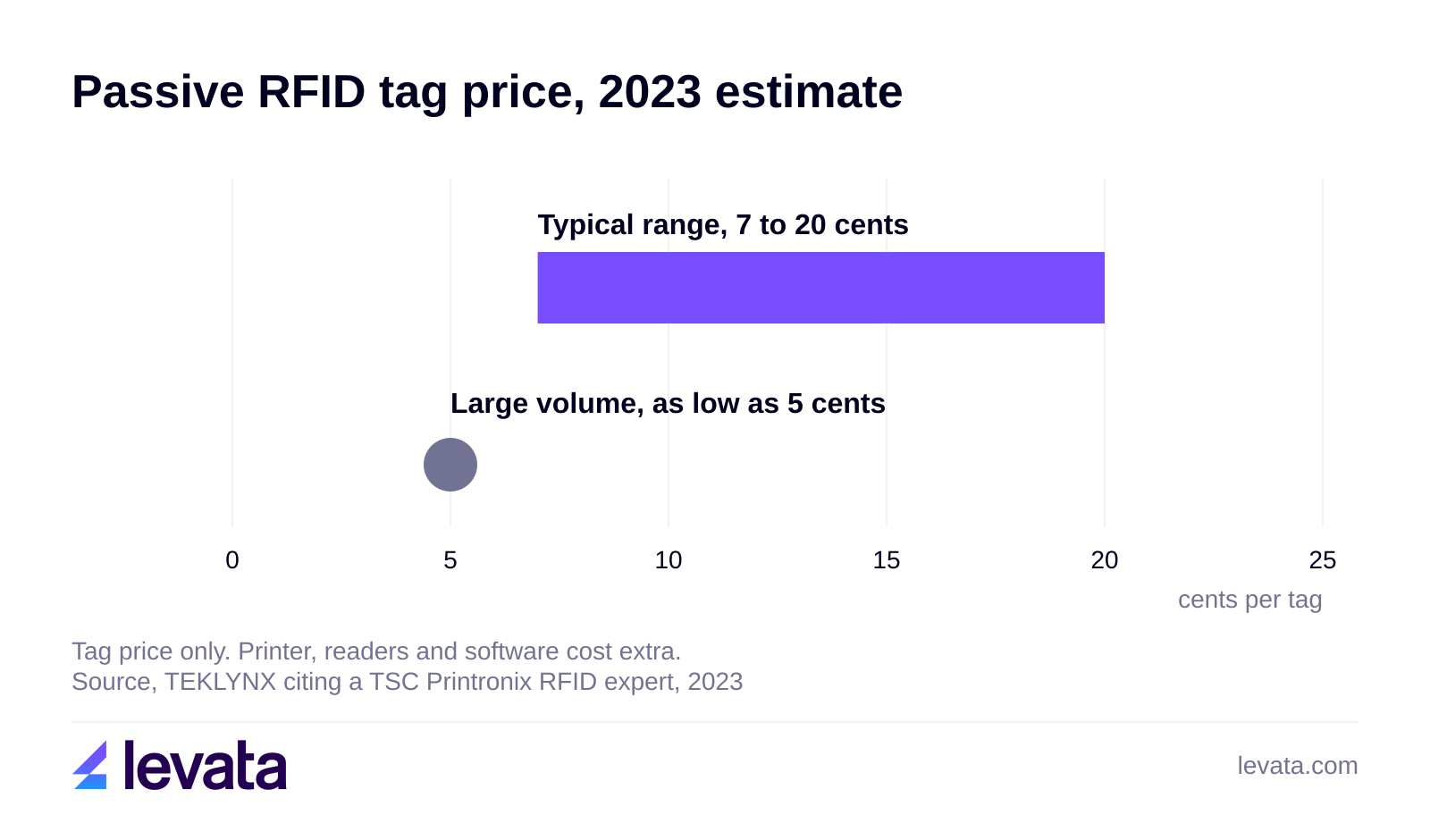
RFID labels cost more than barcode labels because they carry a chip and an antenna, and a barcode label is enough when staff scan one item at a time with the code in view. The average cost for passive tags averages at 7 to 20 cents, depending heavily on order volume, material, and design complexity.
That figure covers passive tags in general, so ask for a current price on a printable label at your size and volume. The printer, readers and software cost extra.
| Barcode label | RFID label | |
|---|---|---|
| Line of sight | Needed | Not needed |
| Items per read | Usually one per scan | Hundreds in seconds |
| What it carries | Printed code | Printed code and chip memory |
RFID earns its cost when you count many items at once or the code is out of view. Manufacturers like Zebra say a label can be read through materials and from a distance, and RFID systems can read hundreds of tags in seconds. Most companies run barcodes and RFID together, and a printed RFID label carries both.
These four questions about RFID labels are not answered in the sections above.
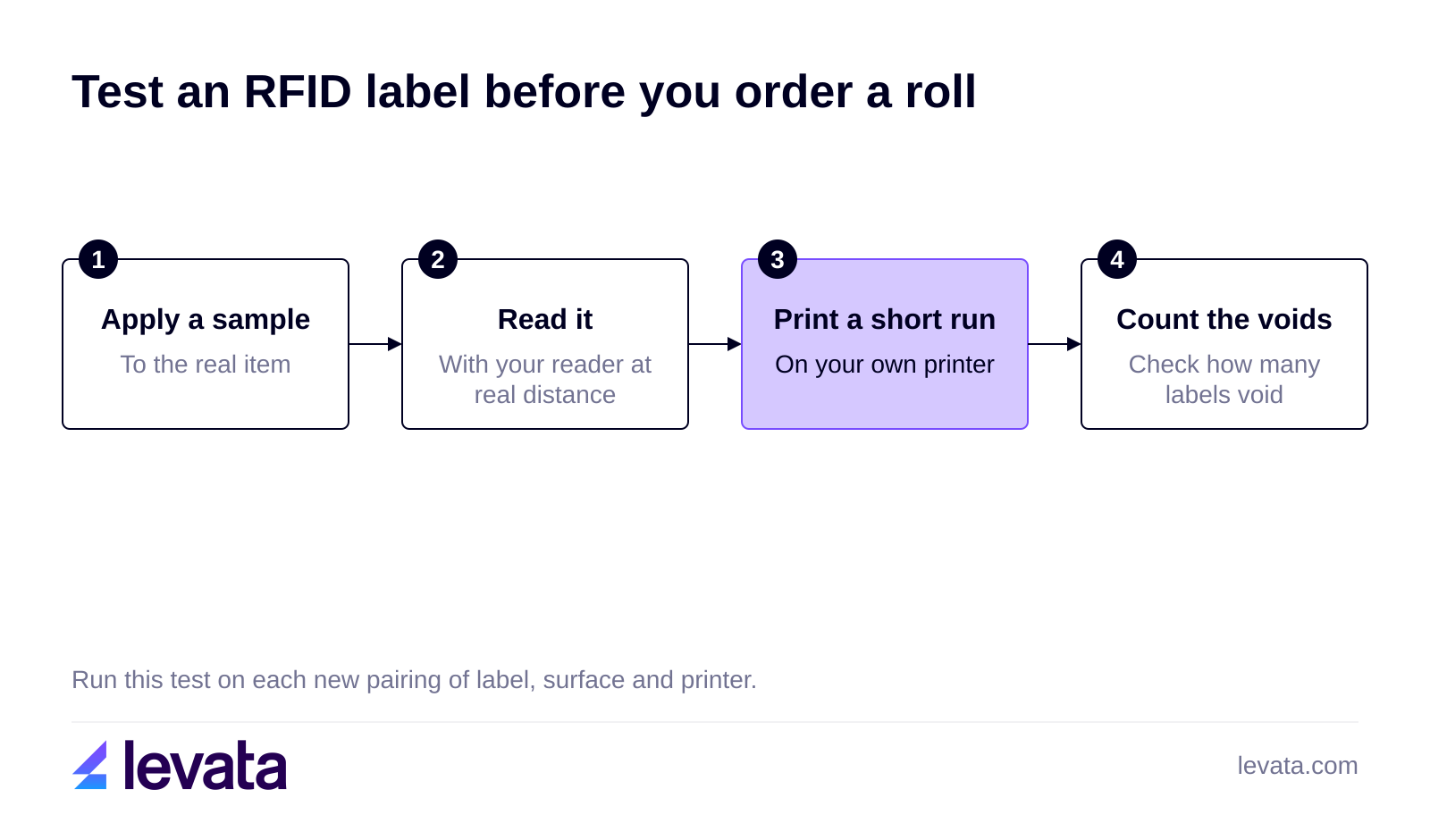
Apply a sample to the real item, read it with the real reader at the real distance, and print a short run on your own printer to see how many labels void. Performance changes with the surface, and UHF tags lose performance near metal, so a label that works on a carton can fail on a metal rack.
No, a barcode printer without an RFID encoder can print the face but cannot write the chip. You need an RFID printer that supports your tag type. Check the printer's supported tags before you order labels.
Usually yes, because the chip memory can be rewritten by a reader or encoder with write access. The RAIN RFID Alliance describes RAIN as reading and writing tagged items. The printed text and barcode on the face stay as printed.
Yes, because UHF labels follow ISO/IEC 18000-63 and NFC follows ISO/IEC 18092, according to the RAIN RFID Alliance. Pick the label and the RFID reader together so they share a frequency.
In summary, RFID labels suit anything flat that you can print and encode in house, and tags suit metal, wet and reusable assets. Choose the printer first, because it decides which tag types and sizes encode cleanly.
Tell us what you are labeling and which printer you run. Levata's team will match a label to the surface, the printer and the reader, and quote it. Request a Quote
RFID asset tracking needs tags, readers, antennas and software. See which hardware fits audits, doorways and rooms, plus a real Levata deployment.
RFID inventory management cuts cycle counts from hours to minutes. See how warehouses and stores use it, what hardware to buy, and factors to know.
How do RFID tags work? See how the chip, antenna and power source work together, then match a tag to your surface and read range.
Welcome, ID Card Group customers!
On September 24th, IDCardGroup.com transitioned to Levata.com. You still have access to the ID solutions you rely on, along with a broader selection of data capture and technology solutions.
What you can expect:
Questions? Call 1-833-353-8282.
Thank you for choosing Levata.
Welcome, IT Planet customers!
On September 24th, ITPlanet.com transitioned to Levata.com. You still have access to the products you rely on, along with a broader selection of data capture and technology solutions.
What you can expect:
Questions? Call 1-833-353-8282.
Thank you for choosing Levata.
Welcome, Barcode Planet customers!
On September 24th, BarcodePlanet.com transitioned to Levata.com. You still have access to the products you rely on, along with a broader selection of data capture and technology solutions.
What you can expect:
Questions? Call 1-833-353-8282.
Thank you for choosing Levata.