The Best Rugged Laptops by Use Case
Find the best rugged laptop for your work environment. Compare fully rugged, semi-rugged and ruggedized models by rating, display, battery and price.

My Cart
—
Incl. VAT
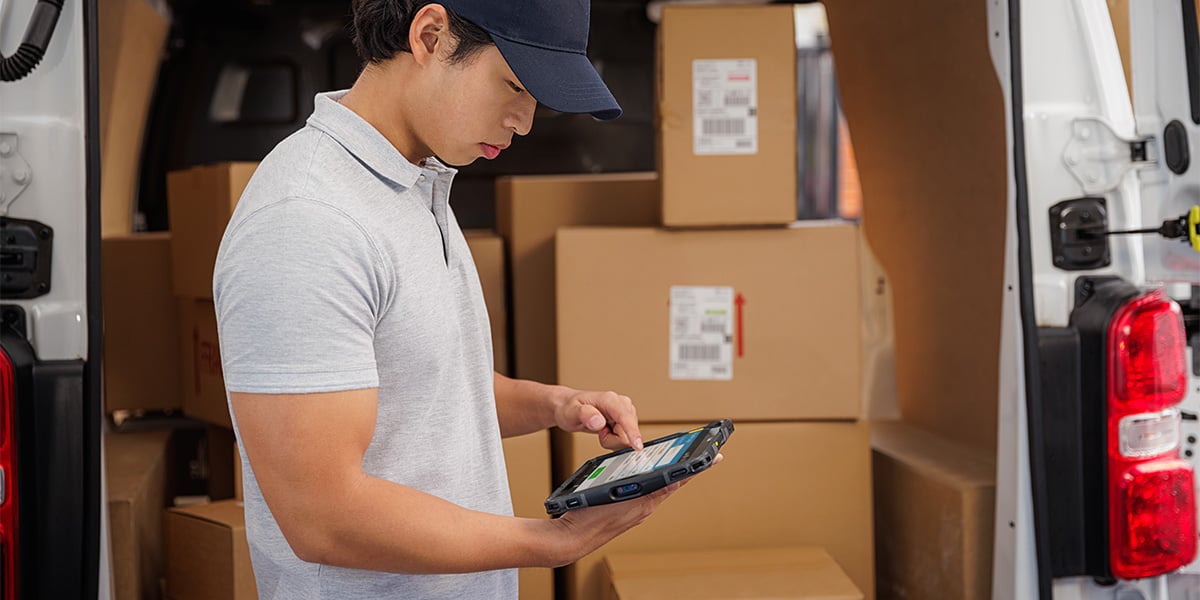
A rugged tablet buying guide comes down to five spec categories: how much drop and sealing protection the tablet will need, an Android or Windows operating system, display features and battery capability, screen size and connectivity, and what the whole package costs over the tablet’s life. Settle your choices in that order and most buyers pare the comparison down to two or three models instead of hundreds of rugged tablets.
In this guide
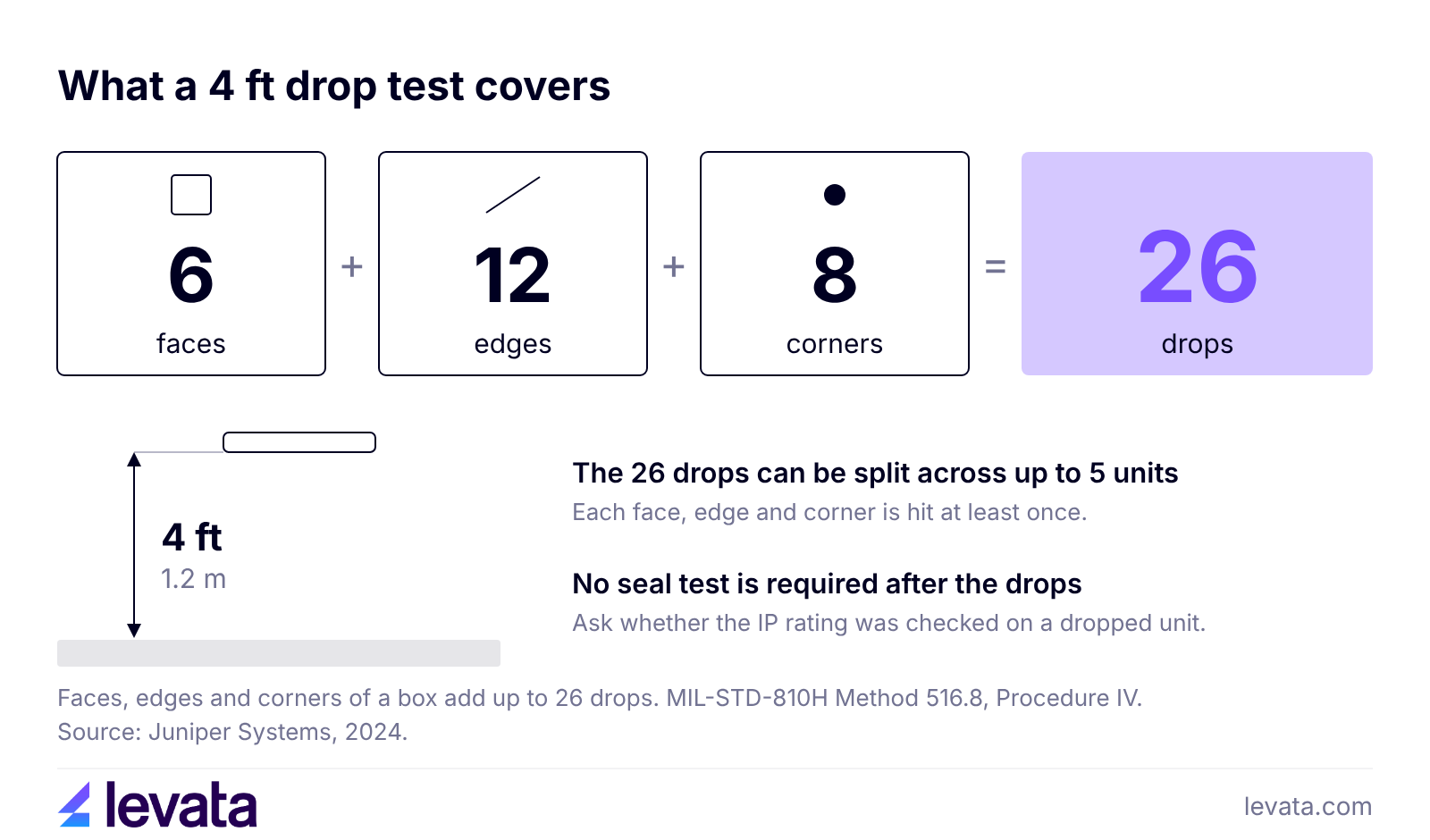
Choose the drop and sealing specs for the worst day the tablet will have on your site. Most rugged tablets quote MIL-STD-810H (a US Department of Defense test method standard), and for tablets the part that matters most is the transit drop test: 26 drops from 4 feet across every face, edge and corner, which a maker can split across up to 5 units.
Two details change what that number tells you. The standard does not require a seal test after the drops, so ask whether the IP rating was checked on a dropped unit. There is also no central body that certifies MIL-STD-810 claims, because makers test their own devices, but you can ask for the test report. Panasonic states that its Toughbook G2 was tested by an independent lab, and that is a useful detail to ask other makers for.
Check the temperature range too. The Zebra ET40 is rated for 4 ft (1.2 m) drops to concrete, 5.1 ft (1.55 m) with its optional rugged frame, and operation from -4°F to 122°F (-20°C to 50°C). If your frontline workers will use their rugged tablets in freezers or a hot vehicle cabs, it’s important to know a device’s functional temperature range.
| Tablet | Operating system | Sealing | Drop and test claim |
|---|---|---|---|
| Samsung Galaxy Tab Active5 | Android 14 | IP68 | MIL-STD-810H |
| Zebra ET40 | Android, upgradeable to Android 14 | IP65 | 4 ft (1.2 m) to concrete per MIL-STD-810H |
| Panasonic Toughbook G2 | Windows 11 Pro | IP65 | MIL-STD-810H, tested by an independent lab |
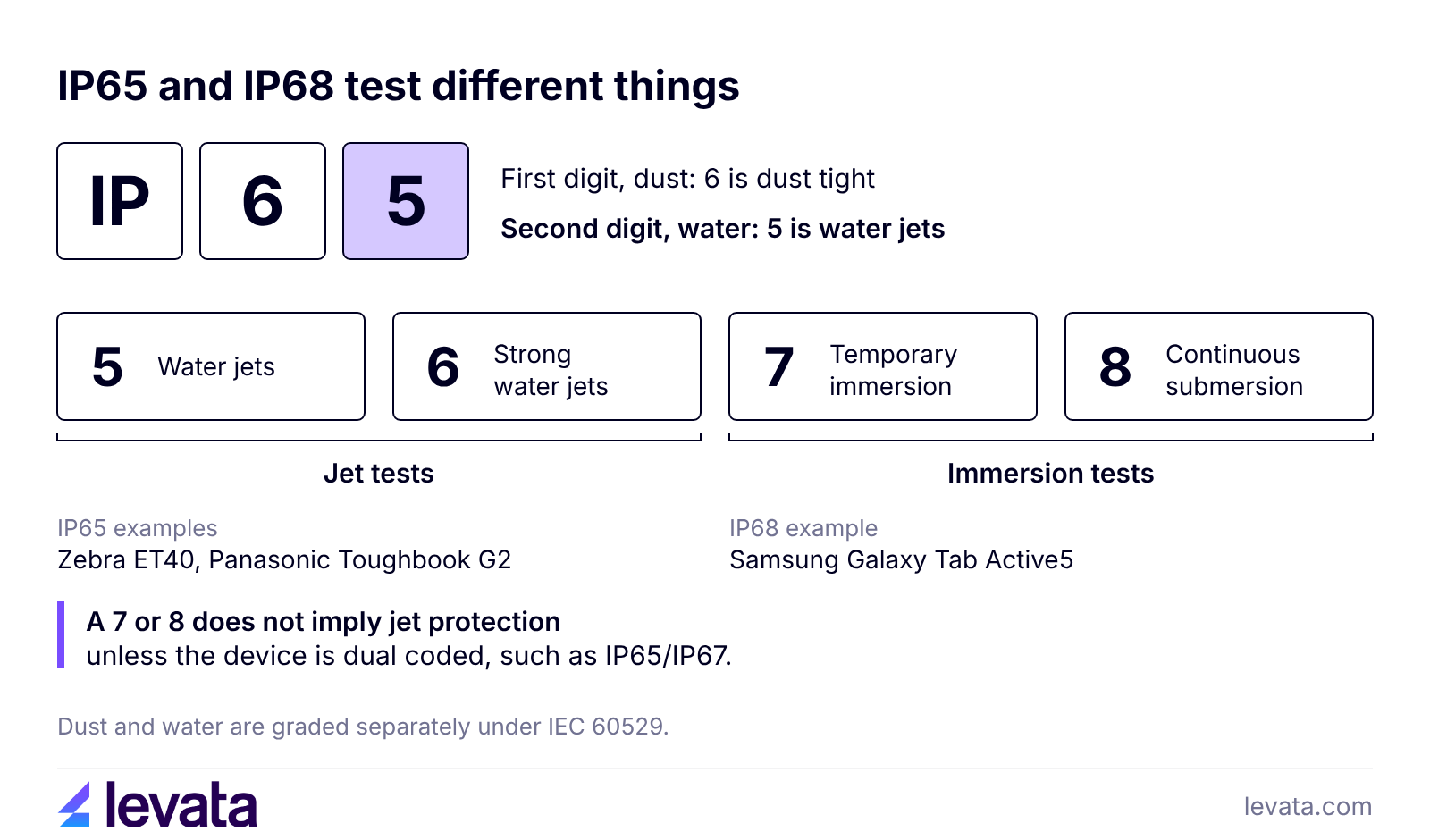
An IP rating is a two digit code from IEC 60529: the first digit grades dust and the second grades water. A first digit of 6 means dust tight, and in the second position 5 and 6 test water jets, 7 tests temporary immersion and 8 tests continuous submersion.
Buyers often miss that a 7 or 8 does not imply jet protection unless the code is dual, such as IP65/IP67. The Galaxy Tab Active5 is rated IP68, which covers immersion, while the ET40 and the Toughbook G2 are rated IP65, which covers jets. If crews hose tablets down, look for a 5 or 6. If tablets end up in puddles, look for a 7 or 8.
IP65 is the most common rating in Levata’s rugged tablet product catalog, with several options also available for IP67 and IP66. For every digit in one chart, see IP ratings explained.
To select which operating system you should select, consider choosing the same software your crews run for other mobile devices. If every app has an Android version or runs in a browser, Android is usually simpler to deploy. If you depend on Windows desktop software, device drivers or domain management, buy Windows. Levata’s rugged tablet offering is split almost evenly between Android listings and Windows listings.
The operating system also sets the support clock. Microsoft ended Windows 10 support on October 14, 2025, though commercial customers can buy Extended Security Updates for up to three years.
On Android, Samsung offers the standard Galaxy Tab Active5 with four OS upgrades and five years of security updates. Zebra lists the ET40 as upgradeable to Android 14.
Whichever platform you choose, get the support window in writing for the exact SKU. Zekelman Industries ran into the problem from the other side: its Windows CE devices were no longer supported by their manufacturers and even refurbished units were unavailable, so Levata helped it move to Android mobile computers.
Decisions related to rugged tablet display, battery and screen size depend completely on the environment and application of work. Read brightness us a factor for outdoor work or dark indoor spaces. Prolonged work shifts would benefit from a battery that can be swapped. Pick a screen size that aligns with how the tablet will be carried. Panasonic lists a display of up to 1,000 cd/m² on the Toughbook G2, which matters if the tablet will be read in direct sun. Ask for the brightness number on every spec sheet you compare.
Battery decides how a shift ends. The Galaxy Tab Active5 has a replaceable 5,050 mAh battery, and the Toughbook G2 supports hot swapping with an optional bridge battery, so the tablet stays on during the change. A sealed battery works for single shifts with a cradle at the dock. Teams that run several shifts should budget for spares.
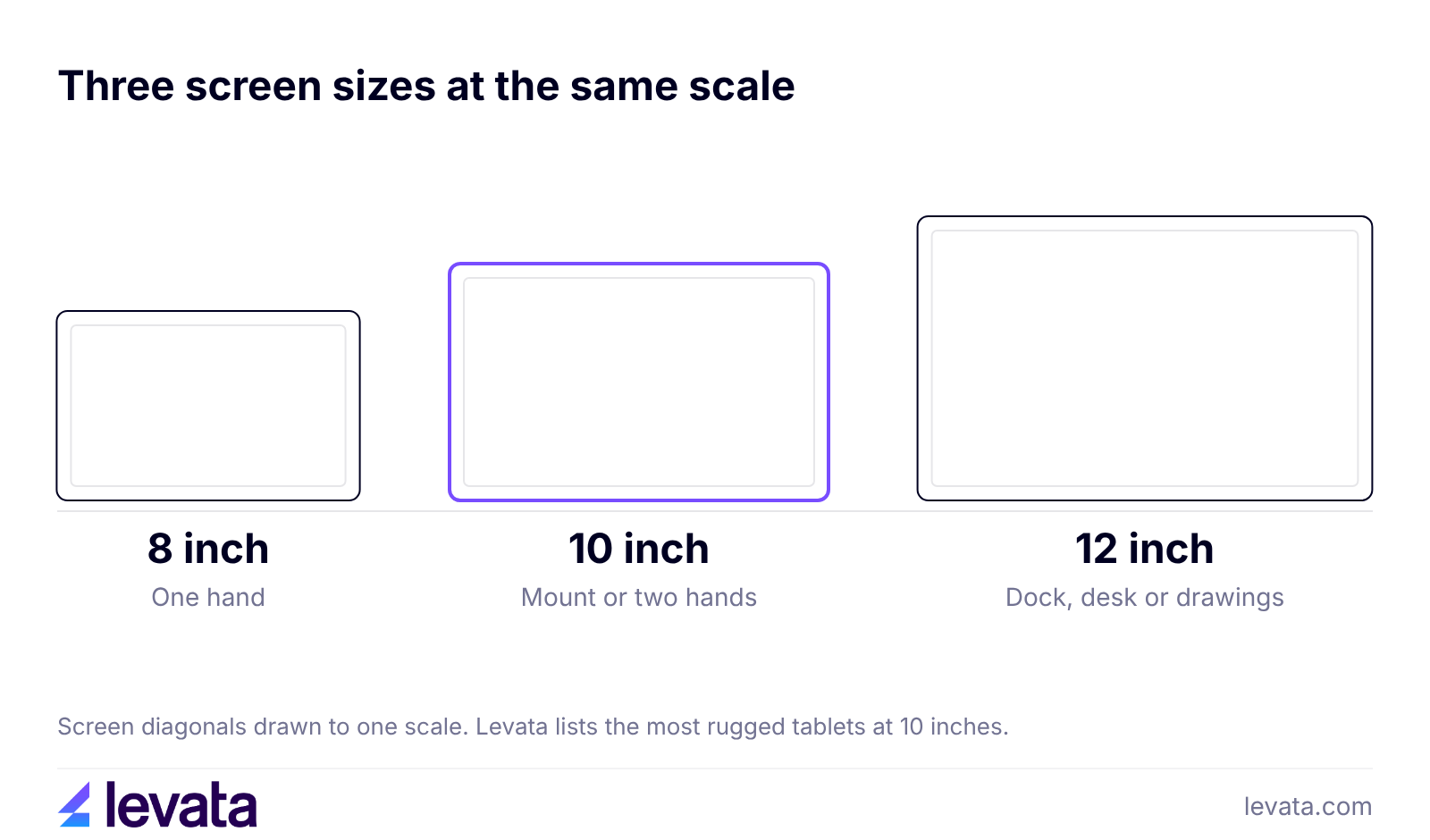
Screen size follows how the tablet moves. An 8 inch tablet works in one hand, 10 inch models suit vehicle mounts and two handed use, and 12 inch models suit drawings and docks. Levata offers rugged tablets with screen sizes from 7 inches up to 14 inches.
When it comes to connectivity, choose cellular if tablets leave the building. Levata lists the ET40 with Wi-Fi 6 and an SE4100 scan engine, and the Zebra ET45 with 5G on the same platform.
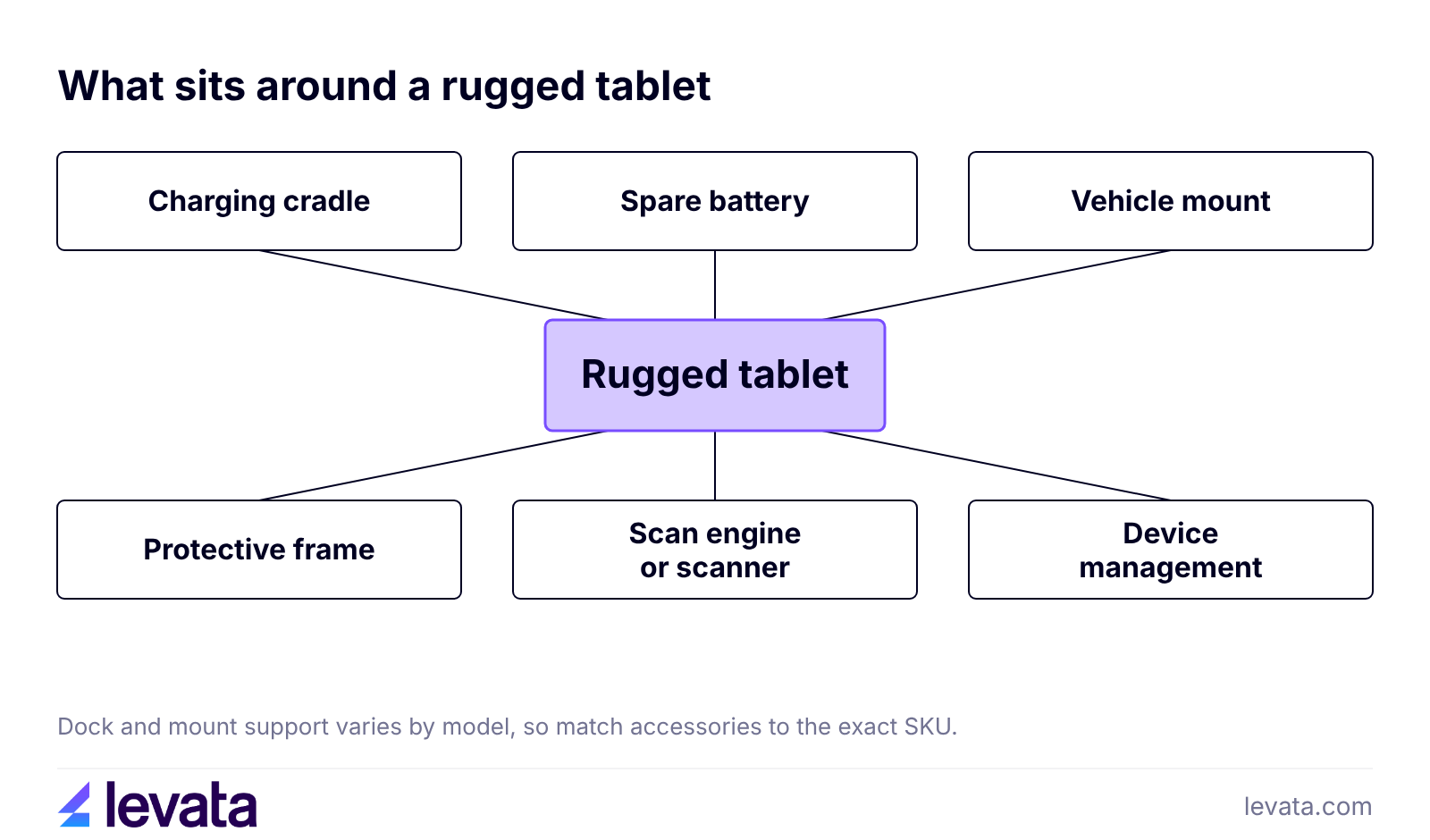
Plan the kit before you pick the tablet, because dock and mount support differs by model. Most deployments need a charging cradle at each site and spare batteries for long shifts. Tablets that ride in trucks or forklifts also need a mount, and any fleet past a handful of units needs mobile device management to push apps and settings.
Compatibility is partial even inside one family. Some device docks work across various versions of a model, but not for vehicle docks. Likewise, a protective frame can change the spec as well: the ET40 is rated for 4 ft without its optional frame and 5.1 ft with it. To assist with these variables, Levata’s accessories range includes protective boots and covers. If drops are your main risk, price the tablet with the frame already on it.
Starting prices on rugged tablets can range from approximately $475 over $3000 depending on brand, model, and features.
A consumer tablet in a case is a fair choice for light indoor work such as a counter or a lobby kiosk, and it costs less. Once tablets get wet, dusty or dropped every week, the replacement cycle matters as much as the sticker price. Add the tablet, accessories, device management and support, then divide by the years the platform will be patched. That yearly figure is the one to compare.
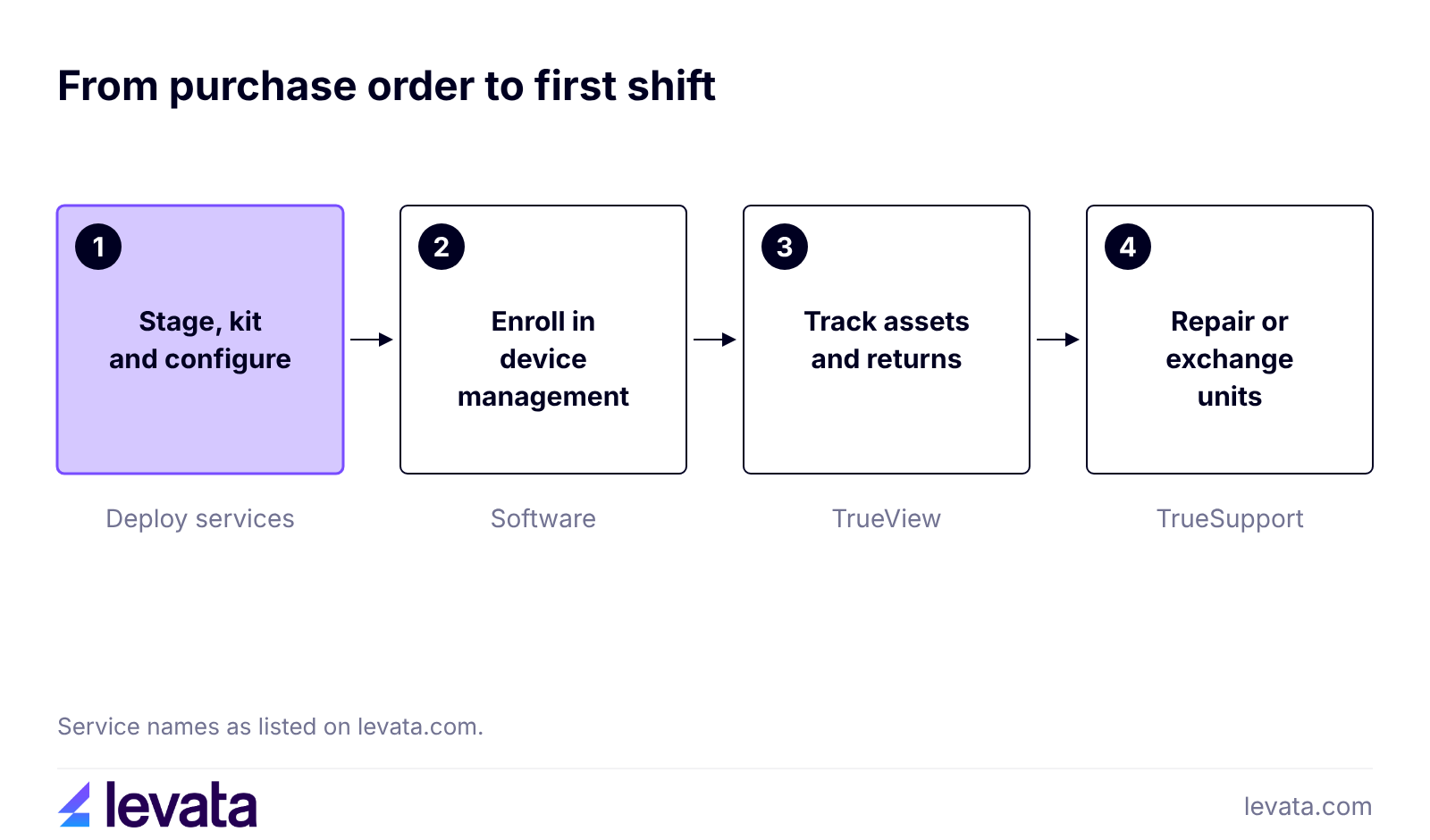
Buying the tablet is the shorter part of the project. The devices also need staging, enrollment in device management, cradles at each site and a repair path, and the work grows with every location. Levata handles these steps through stage, kit and configure services, TrueView asset tracking and returns and TrueSupport help desk and repair. By partnering with a solution provider that does more than just sell the hardware, you’ll save time and money that is drained from one-off repair service, shorter lifecycles due to ill-maintained devices, and valuable IT resources.
Griffin Greenhouse Supplies shows how this plays out with its mobile computer deployment. Its IT director found device management harder as sites were added, so he moved support, troubleshooting, asset tracking, repairs and life cycle management to Levata’s TrueSupport plan, receiving devices ready to go out of the box.
Start from the job, then confirm it against the spec sheet. The table matches four common jobs to the specs to check first.
| Job | Check first | Browse |
|---|---|---|
| Warehouse and forklift | Vehicle mount support, scan engine option, swappable battery | Rugged enterprise tablets |
| Outdoor field service | Brightness in nits, cellular, a 5 or 6 in the IP rating, spare batteries | Rugged tablets |
| Healthcare floors | Cleaning with disinfectant, battery swaps between shifts, apps your records system needs | Rugged healthcare tablets |
| Manufacturing and mixed software | Windows drivers, Ethernet or serial ports, device management | Rugged enterprise tablets |
Before you ask for a quote, write down five things:
Many do, but it depends on the model. Panasonic’s Toughbook G2 lists glove and rain touch modes. Confirm the touch mode on the spec sheet and test it with your own gloves before you order a batch.
Only specific models can. Panasonic offers an optional ANSI Class 1 Division 2 configuration of the Toughbook G2, and Levata’s rugged tablet range includes 3 ATEX listings. Check the hazardous location rating of the exact configuration before you buy.
Yes, when it has a built in scan engine, as the ET40 does with its SE4100 option. Otherwise you can pair a Bluetooth scanner or add a scanner accessory. A built in engine saves carrying a second device, while an add on lets you reuse a tablet you already own.
For more than a handful of units, yes. Zekelman chose a mobile device management solution so its IT team could manage devices and its app across all sites. Levata sells mobile device management software for this.
A rugged tablet earns its price when the sealing, drop spec and operating system match the worst day on your site, and the support window covers the years you plan to use it. Match those, add the accessories and support, and compare the yearly cost of what is left.
A quote is only as good as the site details behind it. Send Levata your site conditions, app list, shift length and unit count, and we will quote a shortlist with the accessories and staging you need. Request a Quote
Find the best rugged laptop for your work environment. Compare fully rugged, semi-rugged and ruggedized models by rating, display, battery and price.

Rising costs, competition, and customer expectations keep squeezing retail margins. Learn how inventory visibility, workforce optimization, supply chain insights, and data-driven decisions help retailers protect profitability for the long term.

This guide explains what mobile computing device IP ratings means, and how IP65, IP67, and IP68 rate protection against dust and various water tests.
Welcome, ID Card Group customers!
On September 24th, IDCardGroup.com transitioned to Levata.com. You still have access to the ID solutions you rely on, along with a broader selection of data capture and technology solutions.
What you can expect:
Questions? Call 1-833-353-8282.
Thank you for choosing Levata.
Welcome, IT Planet customers!
On September 24th, ITPlanet.com transitioned to Levata.com. You still have access to the products you rely on, along with a broader selection of data capture and technology solutions.
What you can expect:
Questions? Call 1-833-353-8282.
Thank you for choosing Levata.
Welcome, Barcode Planet customers!
On September 24th, BarcodePlanet.com transitioned to Levata.com. You still have access to the products you rely on, along with a broader selection of data capture and technology solutions.
What you can expect:
Questions? Call 1-833-353-8282.
Thank you for choosing Levata.