Welcome, ID Card Group customers! IDCardGroup.com has transitioned to Levata.com - your trusted ID solutions are still here, now with access to even more products and resources.
Welcome, IT Planet customers! ITPlanet.com has transitioned to Levata.com - your trusted technology solutions are still here, now with access to even more products and resources.
Welcome, Barcode Planet customers! BarcodePlanet.com has transitioned to Levata.com - your trusted technology solutions are still here, now with access to even more products and resources.
Your cart is emptyContact us if you have any questions or problems
Warranty details
—
Incl. VAT
Are you sure you want to remove this item from the shopping cart?
Discount
Shipping & Handling
FREE SHIPPING
TAX
News & Highlights
The Best Rugged Laptops by Use Case
The Best Rugged Laptops by Use Case
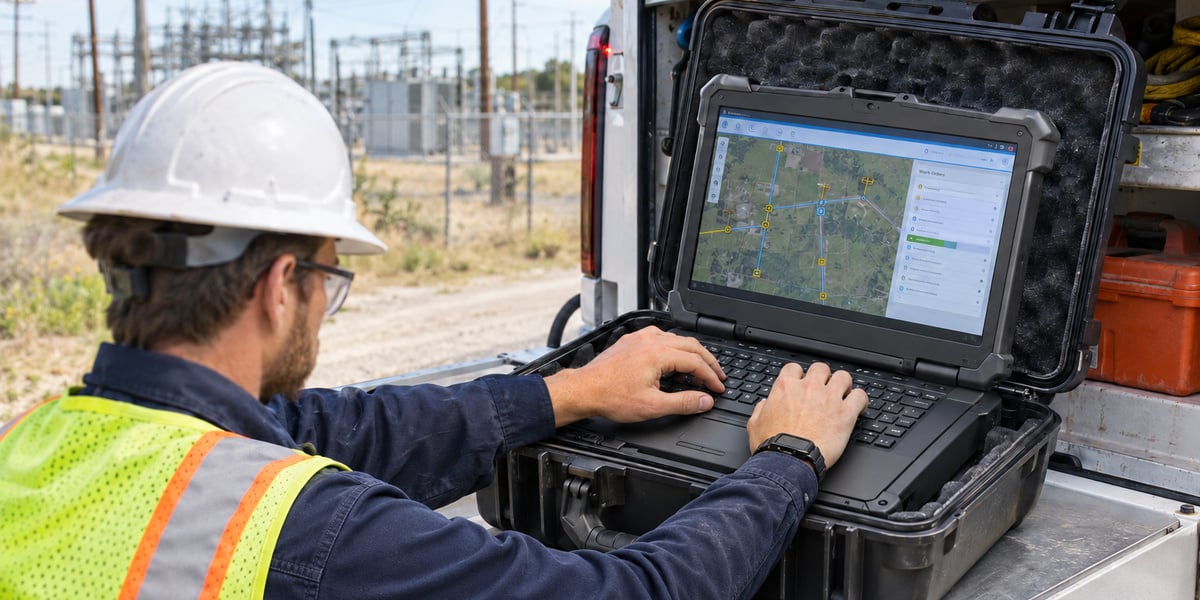
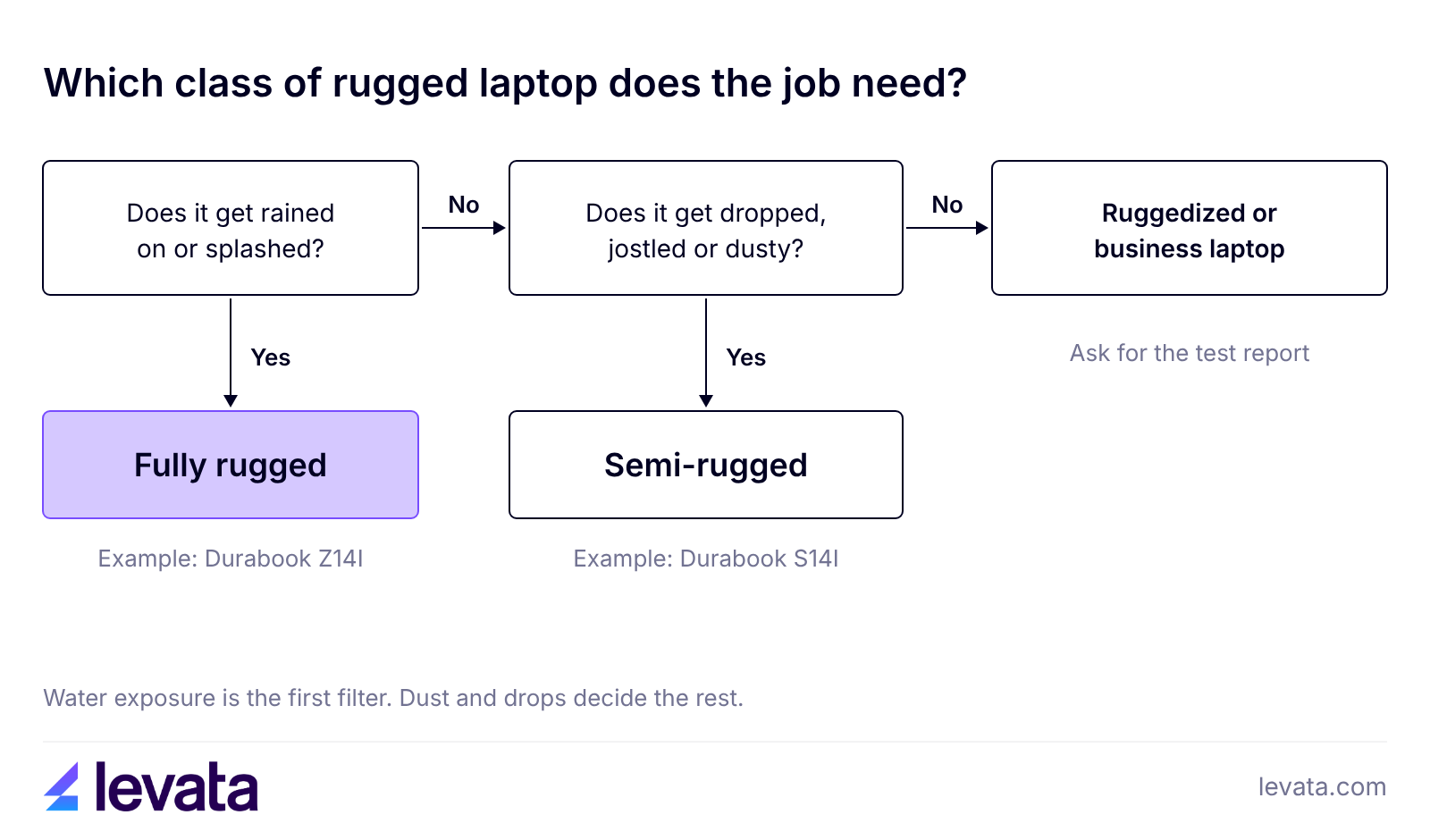
The best rugged laptop depends on where it works. The rugged laptop’s IP rating will help you decide which model is the best fit for your application use. Choose a fully rugged model with IP65 or IP66 sealing for rain, dust and vehicles, a semi-rugged model with IP53 sealing for lighter fieldwork at a lower price, and a ruggedized business laptop only when the main risks are drops and spills.
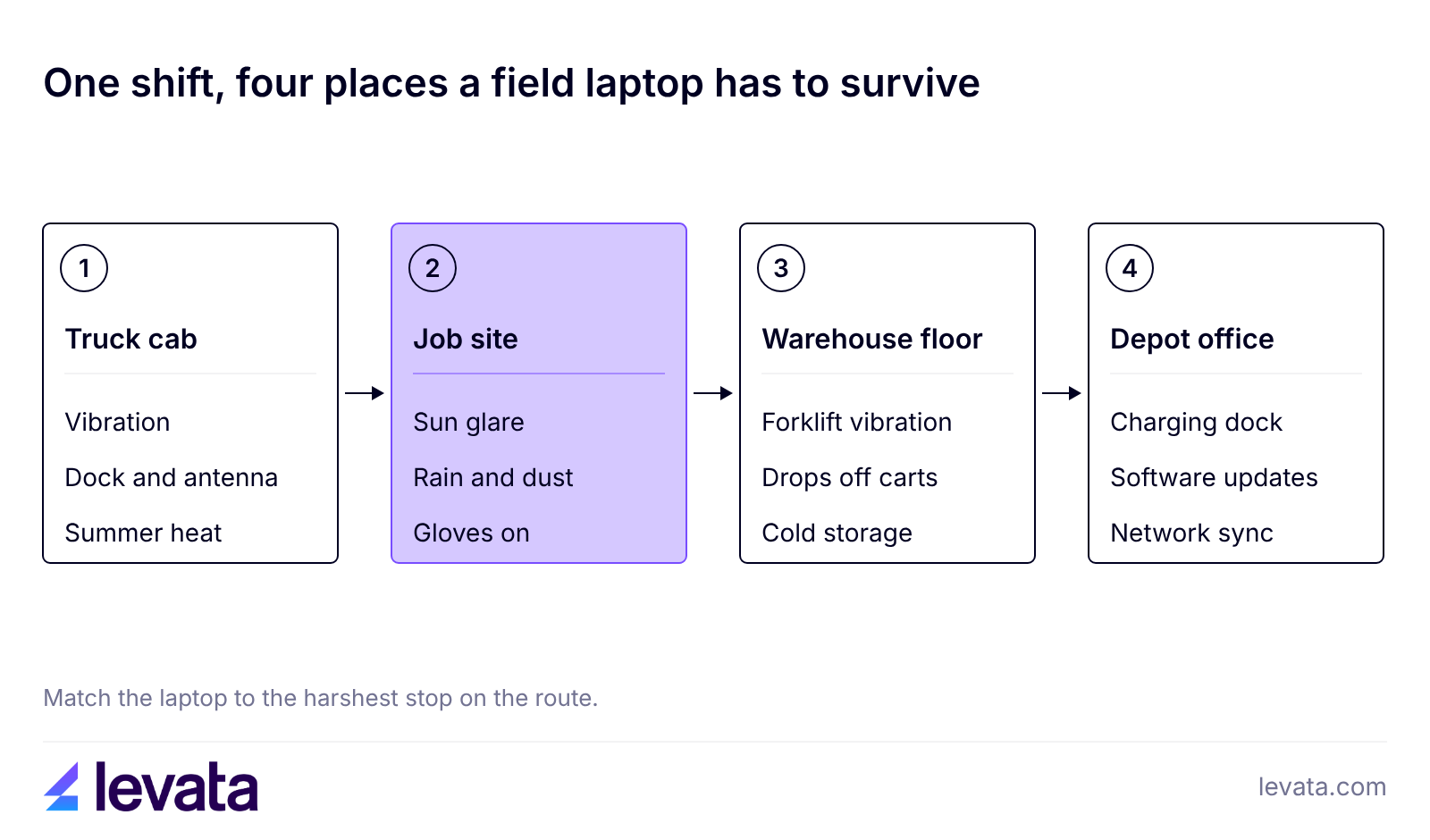
The five models reviewed consider rugged application uses in places like utility trucks, patrol cars, warehouse floors and government sites. Rugged laptops are suited for many environments that include healthcare, manufacturing floors, or construction and engineering sites. Each pick lists its sealing rating, display, battery setup and starting price on levata.com, so you can match the laptop to the harshest place it works.
What is the best rugged laptop for each job?
The best rugged laptop is the one whose sealing, display and battery match the harshest place it works. The table matches five models that Levata sells to the jobs they suit best.
Use case
Pick
Class
Sealing and testing
Display
Budget
Field service and utilities
Durabook Z14I
Fully rugged
IP65 or IP66, MIL-STD-810H, 6 ft drop
14 in, up to 1,200 nits
Higher
Vehicles and public safety
Getac V110-G6
Fully rugged convertible
IP65, MIL-STD-810H, 4 ft drop
11.6 in, 800 nits
Higher
Light fieldwork on a budget
Durabook S14I
Semi-rugged
IP53, MIL-STD-810H, 4 ft drop
14 in, up to 1,200 nits (optional)
Lower
Outdoor and industrial sites
Thunderbook Fenix 15 G3
Sealed, IP65
IP65, hot-swappable battery
15.6 in, 1,000 nits
Lower
Government and EMI-sensitive sites
DT Research LT350
Fully rugged convertible
IP65, MIL-STD-810H, MIL-STD-461G
15.6 in, 1,000 nits
Medium
View Levata’s full range of rugged laptops, which carries models from Durabook, Getac, DT Research and Thunderbook, among other brands including HP and the Panasonic Toughbook.
How do fully rugged, semi-rugged and ruggedized laptops differ?
A fully rugged laptop is sealed against dust and water jets, a semi-rugged laptop resists dust, spray and shorter drops, and a ruggedized laptop is a business laptop that has been reinforced and tested but is not sealed. Vendors do not use these labels on a formal scale, so the rating on the spec sheet tells you more than the word on the box.
Fully rugged
Semi-rugged
Ruggedized
Typical sealing
IP65 or IP66
IP53
No IP rating
Typical drop spec
4 to 6 ft
3 to 4 ft
Set by the vendor's test report
Handles
Rain, dust, vehicles, temperature extremes
Spray, dust, light rain, daily handling
Bumps, vibration, spills
Fits
Utilities, public safety, outdoor sites
Mixed office and field work
Offices and indoor roles with rough handling
Cost
Highest
Middle
Lowest of the three
What is a semi-rugged laptop?
A semi-rugged laptop has a reinforced chassis, covered ports and an IP53 rating, and it is built for light rain, dust and drops of about 3 to 4 feet. Dell's Latitude 5430 Rugged is drop-tested from 3 feet with an IP53 rating, and the Durabook S14I is rated to 4 feet at the same IP level.
It suits crews that split the day between an office, a vehicle cab and a job site. The Durabook S14I is priced lower than the Durabook Z14I, which is the main reason buyers choose the class.
What is a ruggedized laptop?
A ruggedized laptop is a standard business laptop that has been reinforced and tested to MIL-STD-810H methods but carries no IP rating for dust or water. It handles bumps, vibration and spills, which fits inspection, sales and warehouse office work, but rain and dust are outside its design.
Some vendors also use the word ruggedized for fully sealed machines, so read the rating before you read the label. For indoor roles, a business laptop from the standard business laptops category is often all the protection the job needs.
How do you read IP ratings and MIL-STD-810H claims?
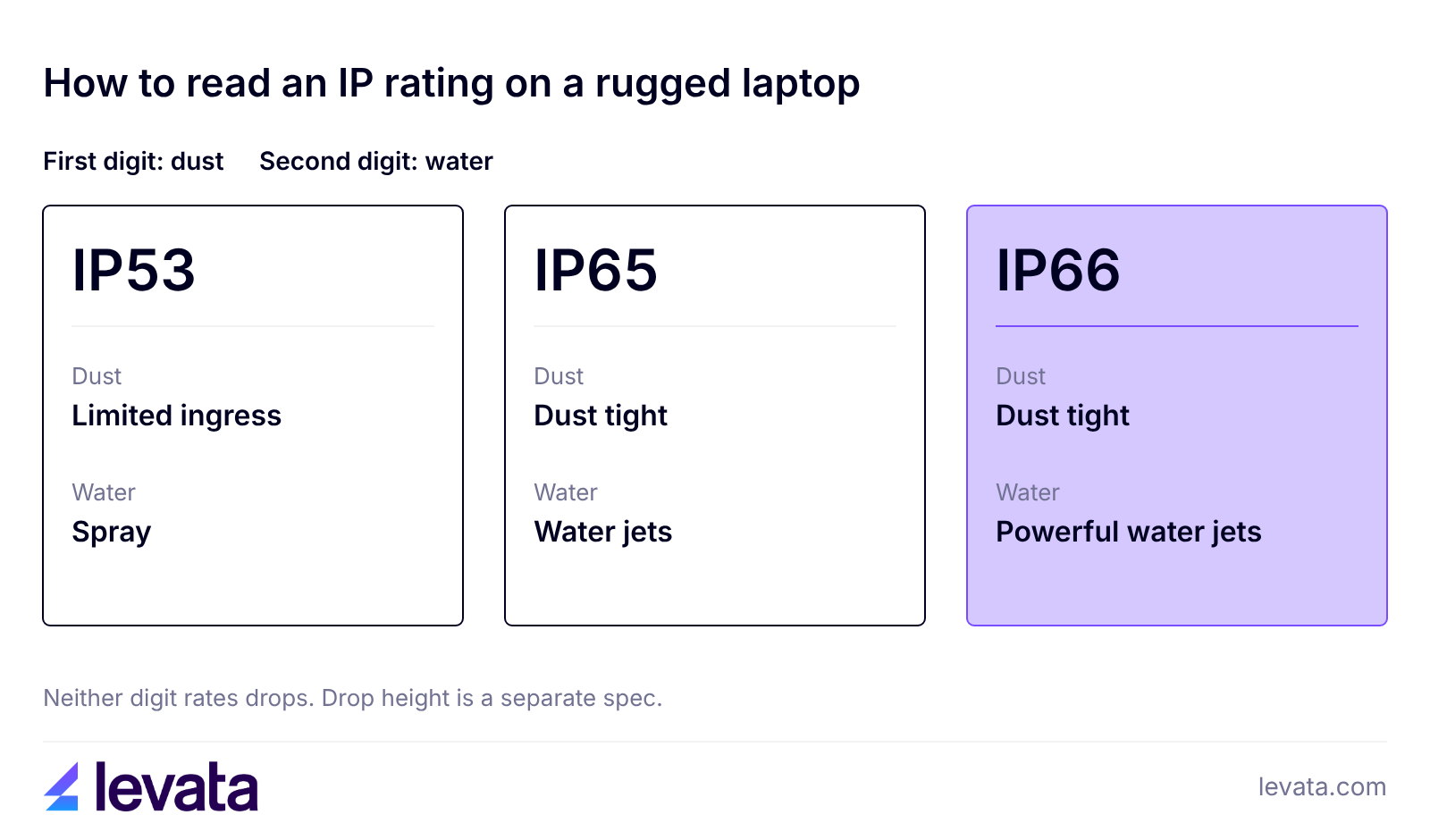
Read an IP rating as two digits, dust first and water second, and treat MIL-STD-810H as a list of tests instead of a pass mark. The International Electrotechnical Commission defines IP codes in IEC 60529, and three ratings cover most laptops: IP53 gives limited dust ingress and protection from water spray, IP65 is dust tight and protected from water jets, and IP66 is dust tight and protected from powerful water jets.
IP ratings say nothing about drops. Drop height comes from a separate test, and the picks here range from 4 ft on the Durabook S14I and Getac V110-G6 to 6 ft on the Durabook Z14I.
MIL-STD-810H is a U.S. military test standard, and Getac notes that it covers nearly 30 test methods. A manufacturer picks which methods to run, so "tested to MIL-STD-810H" can mean a short list or a long one. Ask for the test methods and the report and confirm they cover the exact configuration you plan to buy, because adding a module can take a configuration outside the original test.
MIL-STD-461G appears on the Z14I, V110 and LT350 spec sheets. It covers electromagnetic emissions and susceptibility, so it matters for sites with radio-sensitive equipment and has no bearing on drop or water resistance.
Which rugged laptop is best for field service and utilities?
The Durabook Z14I is the best fit for field service and utility crews because it pairs IP65 or IP66 sealing with a 6 ft drop rating and a 1,200 nit display. Durabook rates it to MIL-STD-810H and offers a hot-swappable battery design for shifts that run past one charge. Levata lists both IP65 and IP66 configurations, so confirm the rating on the exact product page.
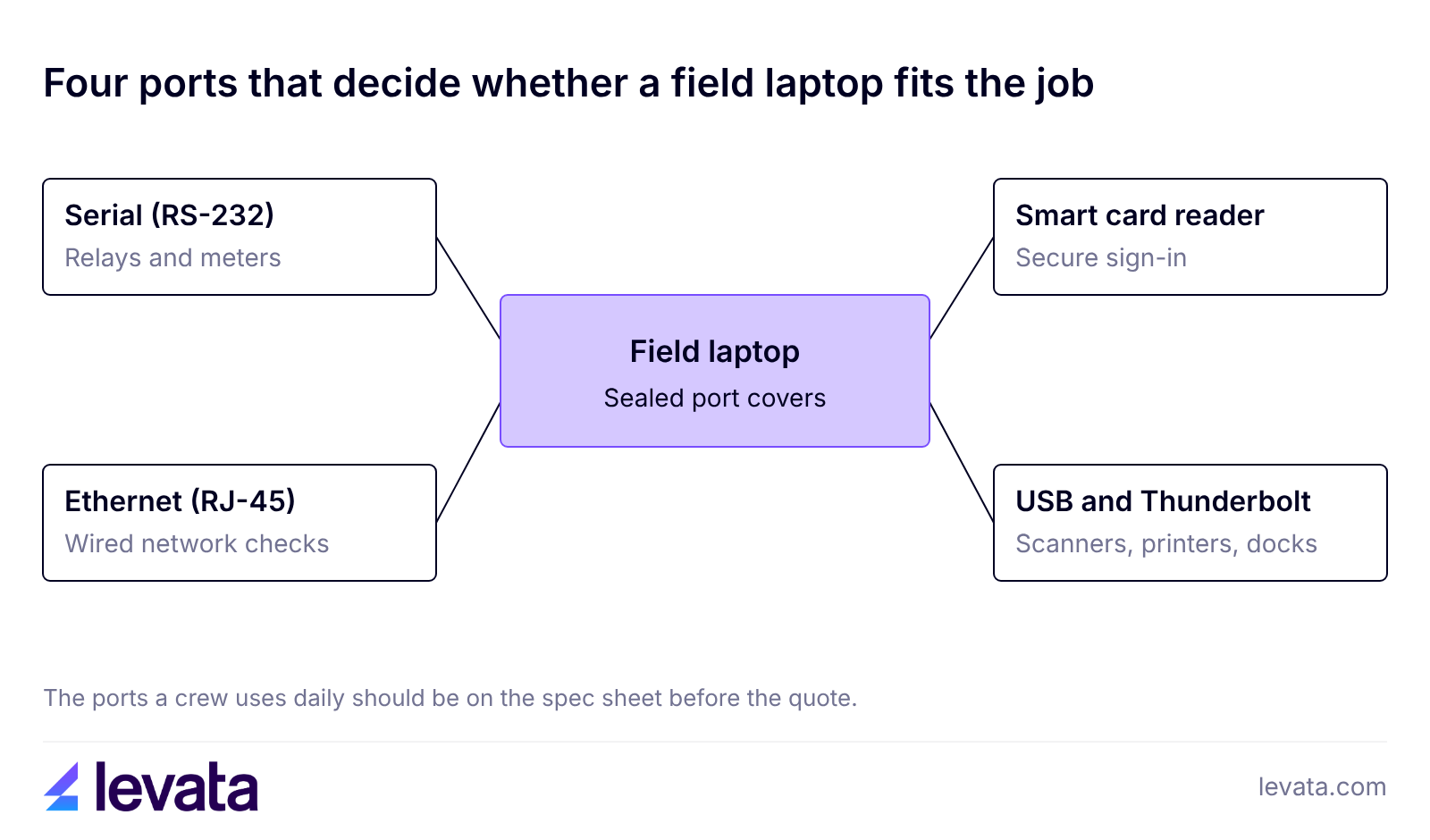
Field work also depends on ports. The Z14I has two RS-232 serial ports and two RJ-45 Ethernet ports plus a smart card reader, so a technician can connect to relays, meters and older equipment without adapters and sign in with a card.
The tradeoff is weight and price. The Durabook Z14I is a large laptop so a crew that carries one all day or works mostly from a cab should look at the semi-rugged Durabook S14I below.
Which rugged laptop is best for vehicles and public safety?
The Getac V110-G6 is the best fit for vehicles and public safety because it is a fully rugged 11.6-inch convertible that is e-Mark certified for vehicle use, with IP65 sealing and MIL-STD-810H testing. It flips between laptop and tablet, so an officer or technician can work on a dock in the cab and carry it as a tablet on a call. The 11.6-inch display reaches 800 nits and the whole unit weighs 4.63 lb.
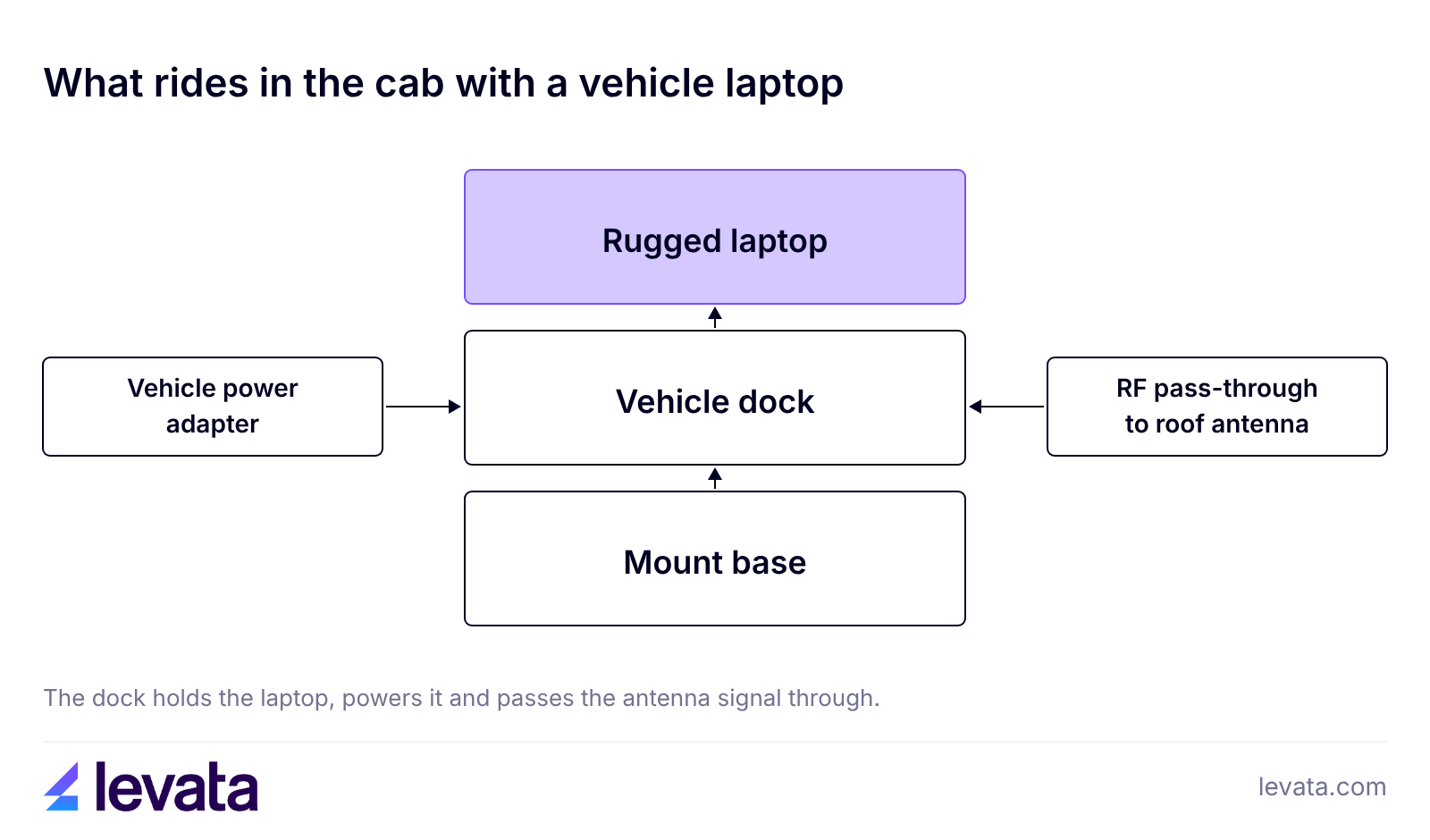
A vehicle laptop needs more than the laptop. Plan for a vehicle dock, a vehicle power adapter and an RF pass-through that carries GPS, cellular and Wi-Fi signals to the roof antenna. V110-G6 models are listed with a pass-through antenna option.
The tradeoff is the platform. The Getac V110-G6 uses 10th generation Intel processors, an older platform than the Z14I, so choose a newer model for heavy software. Pricing are listed on levata.com or a quote may be requested.
Which semi-rugged laptop is best on a budget?
The Durabook S14I is the best semi-rugged value because it adds IP53 sealing and a 4 ft drop rating to a standard 14-inch Windows laptop for less than half the starting price of the Z14I. Durabook rates it to MIL-STD-810H and for temperatures from -20°F to 145°F, and Levata offers a 3-year Durabook standard limited warranty on its configurations.
The S14I handles spray, dust and light rain. Heavy rain, hose-downs and open truck beds call for a sealed model such as the Z14I. For a mixed day split between a desk, a cab and a customer site, it covers the risks at the lowest cost of the picks here.
Which rugged laptop is best for outdoor and industrial sites?
The Thunderbook Fenix 15 G3 suits outdoor and industrial sites that need a large screen, with a 15.6-inch 1,000 nit display, IP65 sealing and a hot-swappable battery, according to its Levata product listing. The Thunderbook datasheet also lists an integrated carrying handle and an RS-232 port, which helps in plants and yards where the laptop moves between machines.
Check the test standard on the exact configuration. The datasheet lists MIL-STD-810G while some product listings say 810H, which is the kind of gap a test report settles.
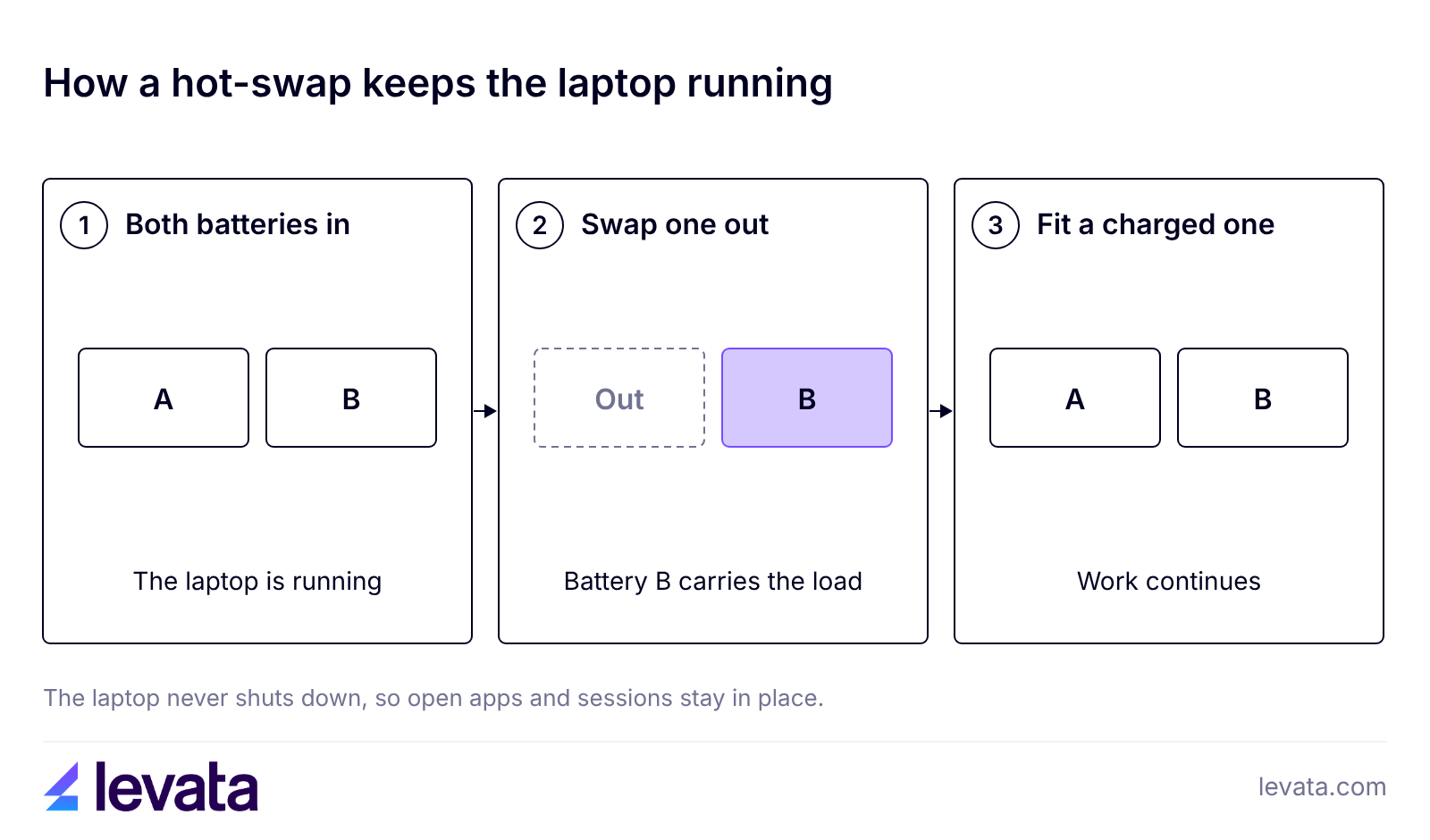
Hot-swappable batteries matter on sites that run long shifts. The Getac V110 lets you remove one of its two batteries and replace it without shutting down, and some models use a bridge battery that holds the laptop for a short time while you change the main battery. Confirm which design a model uses before you buy spares.
What if the site is sensitive to electromagnetic interference?
The DT Research LT350 is the better pick for government, defense and other sites sensitive to electromagnetic interference. DT Research lists it as a 15.6-inch convertible with IP65, MIL-STD-810H and MIL-STD-461G ratings, a 1,000 nit display and dual hot-swappable batteries for 24/7 operation. It weighs 8.95 lb and starts at a moderate price.
What else does a rugged laptop deployment need?
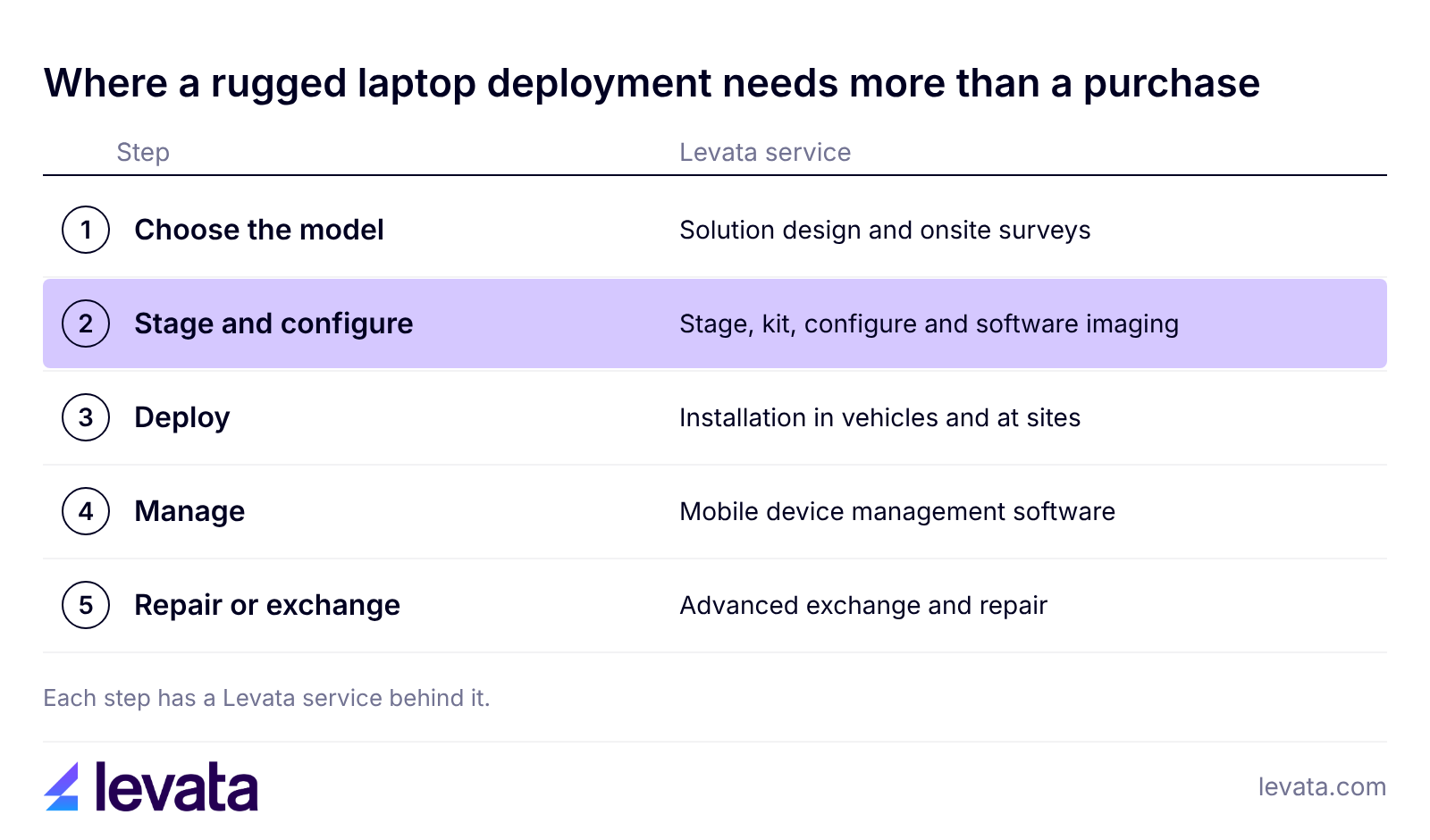
A rugged laptop deployment needs docks and batteries sized to the shift, device management and a repair plan, and most of that is cheaper to settle before the laptops ship. Start with accessories, because batteries, cradles and vehicle docks decide whether the laptop is usable on day one.
Refurbished rugged laptops cost less up front and suit a small team with a tight budget. A larger fleet usually does better with identical new units, one warranty start date, one image and one pool of spare batteries.
When is a rugged laptop the wrong choice?
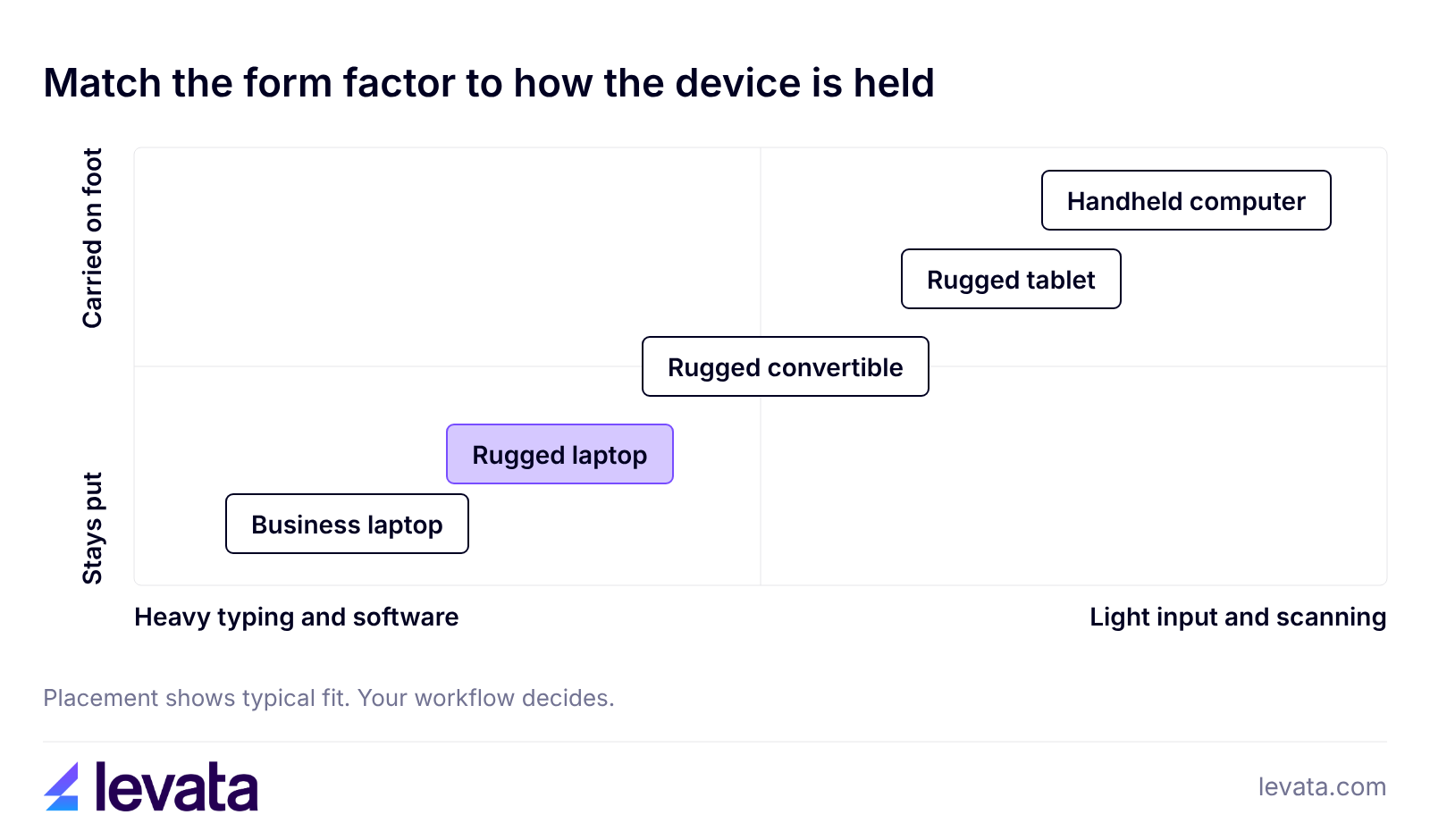
A rugged laptop is the wrong choice when the device stays in an office, when most of the work is scanning or tapping, or when weight matters more than protection. Rugged laptops are heavier and cost more than business laptops, and an indoor role gains little from sealing it never uses.
Yes, many rugged laptops have touchscreens that work with gloves. Getac's utility on the V110 line lets you set the touchscreen for finger, glove or pen input, so check the touch modes on the exact model before you order for a cold-weather crew.
How heavy is a rugged laptop?
Rugged laptops weigh more than business laptops, and screen size and battery capacity drive most of the difference. The Getac V110-G6 is one of the lightest at 2.1 kg (4.63 lb), while the DT Research LT350 weighs 8.95 lb.
Can a rugged laptop be used in a hazardous location?
Only if it carries a hazardous location approval. Standard IP and MIL-STD ratings do not cover explosive atmospheres, and Durabook lists the Z14I with ANSI/ISA 12.12.01 Class I, Division 2 approval on selected configurations. Ask for that approval by name when the site handles flammable gas or vapors.
Pick the class first, then the model, and confirm the rating, display and battery on the exact configuration you plan to buy. When the sites and jobs are clear, a short list of two or three models is usually enough to test.
Tell us where the laptops will work and how many you need. The Levata team will match models to those jobs, confirm ratings on the exact configuration and quote the docks, batteries and setup services with them. Request a Quote
Stay informed with the latest insights from Levata.
Rising costs, competition, and customer expectations keep squeezing retail margins. Learn how inventory visibility, workforce optimization, supply chain insights, and data-driven decisions help retailers protect profitability for the long term.
On September 24th, IDCardGroup.com transitioned to Levata.com. You still have access to the ID solutions you rely on, along with a broader selection of data capture and technology solutions.
What you can expect:
More solutions: A broader portfolio of ID, data capture, and technology products.
Personalized service: The one-on-one support you’ve come to expect, backed by Levata’s broader resources and expertise.
A better online experience: Easier access to products, information, and educational resources to help you find the right solution.
Questions? Call 1-833-353-8282.
Thank you for choosing Levata.
Welcome, IT Planet customers!
On September 24th, ITPlanet.com transitioned to Levata.com. You still have access to the products you rely on, along with a broader selection of data capture and technology solutions.
What you can expect:
More solutions: A broader portfolio of ID, data capture, and technology products.
Personalized service: The one-on-one support you’ve come to expect, backed by Levata’s broader resources and expertise.
A better online experience: Easier access to products, information, and educational resources to help you find the right solution.
Questions? Call 1-833-353-8282.
Thank you for choosing Levata.
Welcome, Barcode Planet customers!
On September 24th, BarcodePlanet.com transitioned to Levata.com. You still have access to the products you rely on, along with a broader selection of data capture and technology solutions.
What you can expect:
More solutions: A broader portfolio of ID, data capture, and technology products.
Personalized service: The one-on-one support you’ve come to expect, backed by Levata’s broader resources and expertise.
A better online experience: Easier access to products, information, and educational resources to help you find the right solution.