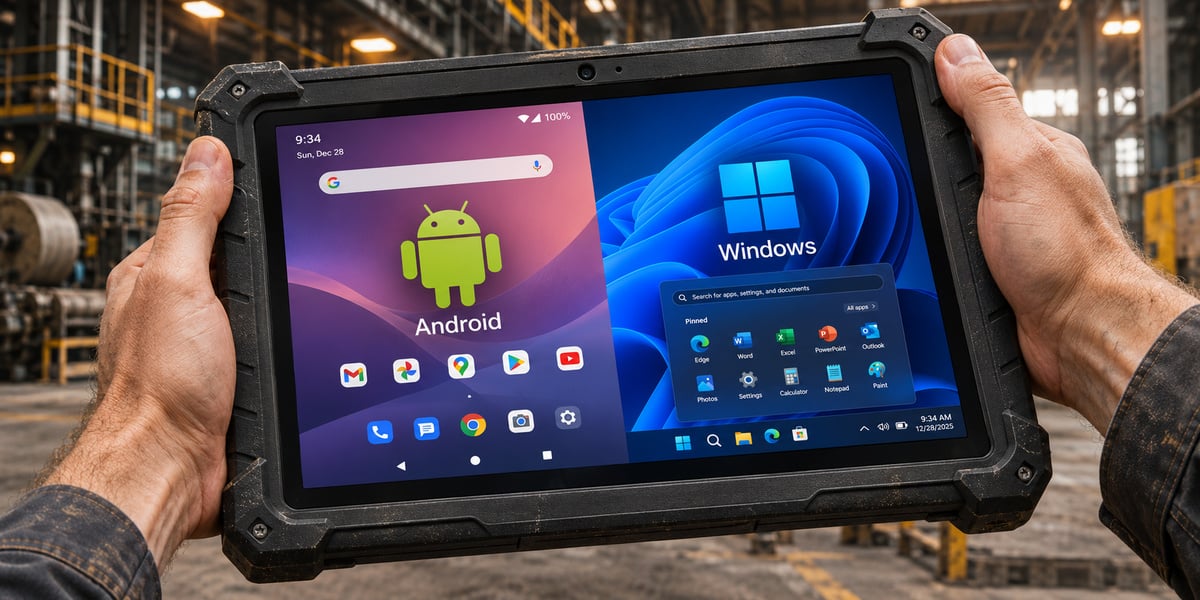
A rugged Android tablet suits scanning, inspection and delivery apps, while a rugged Windows tablet suits desktop software and wired equipment. When comparing a rugged Android tablet vs Windows, start with the applications your team must run, then check peripherals, battery runtime, support dates and management tools before price.
In this article
Rugged Android tablet vs Windows: how do they compare?
A rugged Android tablet usually weighs less, costs less and lasts longer on a charge, while a rugged Windows tablet runs desktop software and connects to wired equipment. Both come in sealed, drop tested housings, so the operating system matters more than the case when you choose.
| Factor |
Rugged Android tablet |
Rugged Windows tablet |
| Best fit |
Scanning, inspection, delivery and other touch first apps |
Desktop software, engineering tools and wired equipment |
| Applications |
Mobile and browser-based apps |
Desktop and legacy line of business software |
| Typical size |
Smaller tablets and handhelds |
Larger tablets |
| Support window |
90-day security updates for 5 years from ship date on Android Enterprise Recommended rugged devices |
Set by the edition: 10 years for Windows 11 IoT Enterprise LTSC 2024, 5 years for Windows 11 Enterprise LTSC 2024 |
| Price at a similar size |
Usually lower |
Usually higher |
| Battery |
Often longer runtime |
More power draw and more heat |
Other technology sources reach the same split on price and battery life, and RuggedPCReview notes that Android tends to appear on smaller rugged tablets and Windows on larger ones. Treat these as tendencies. A Windows tablet with a hot swap battery can outlast a small Android model, so read the spec sheet for the exact device.
How do you choose the right operating system for your fleet?
Choose the operating system by the software your team runs, then check peripherals and battery. List every application the device must run, find which operating system each one supports, and pick the platform that covers the whole list. Hardware comes second because both platforms offer sealed housings, sunlight readable screens and drop ratings.
Two checks settle many decisions. The first is whether any required application exists only as Windows desktop software. The second is whether any peripheral lacks a USB or Bluetooth option. A yes to either points to Windows, and a no to both leaves Android as the lighter and usually cheaper choice.
Ask your technology partner about Android clients before you assume a Windows tablet is required. If a warehouse management system offers a browser based or Android client, a Windows tablet adds cost without adding capability. The flowchart below puts the questions in order.
When should you choose a rugged Windows tablet?
Choose a Windows tablet when the job depends on desktop software, wired equipment or a full multitasking workspace. Field engineers who review CAD files, technicians who run diagnostic programs, and dispatchers who use a desktop console in a vehicle are typical users. These tablets also connect to serial and Ethernet equipment through ports or docks, which matters for older industrial gear.
View Levata's Windows models in its rugged enterprise tablets category, including the Getac UX10, which runs Windows 11 Pro. Windows also suits teams whose IT department already manages laptops, because the same Microsoft tools and policies apply to the tablets.
Expect a higher price, more weight and shorter battery runtime than an Android model with the same screen size. Vehicle docks and hot swap batteries reduce the battery problem, though they are typically add-on accessories.
When should you choose a rugged Android tablet?
Choose an Android tablet when the work is touch based, scan heavy and mobile, such as warehouse picking, proof of delivery, field inspection forms and asset checks. Android models tend to be lighter and cheaper, and many offer an integrated scan engine. The Zebra ET40 is listed with an SE4100 scan engine, for example. Browse the full rugged Android tablets selection to compare sizes, scanners and docks.
Update commitments matter more than the version number on the box. Getac commits to at least three Android versions for each product generation and security updates every 90 days for five years after launch, as described in Levata's Getac Android tablet guide. The Getac ZX10 is one model covered by that commitment.
Levata's work with Sobeys shows how this runs at scale. Levata handled kitting, staging and ongoing support through TrueSupport, and the vehicle tracking fleet was optimized within 10 weeks on Android's open ecosystem.
How long will each operating system be supported?
Support length depends on the edition and the device maker more than on the operating system name. Windows 11 IoT Enterprise LTSC 2024 has a 10 year lifecycle, while Windows 11 Enterprise LTSC 2024 has a five year lifecycle ending in October 2029. Standard Windows 11 IoT Enterprise releases are supported for 36 months, and each feature update resets that clock.
Android works differently. Under Google's Android Enterprise Recommended program, rugged devices must receive security updates every 90 days for five years from the date the device first ships. The device maker publishes the dates, so the end of support for an Android tablet is a figure you can read before you buy.
Ask each vendor for the exact edition and a written end of support date. A tablet that ships on a 36 month Windows release puts regular feature updates on your IT calendar for the life of the fleet.
What should you do with rugged Windows 10 tablets?
A rugged tablet still running Windows 10 no longer gets free security updates, because Microsoft ended support on October 14, 2025. That applies to every Windows 10 edition, so fleets bought for desktop software need a plan now.
There are three paths. Move the tablet to Windows 11 when its hardware supports it, replace it with an Android model if every required application has an Android client, or enroll in paid Extended Security Updates, which Redmond Magazine reports run for businesses through October 2028 at a per device fee that rises each year. Extended Security Updates give a fleet time to move, and the cost goes up each year it waits.
Handhelds that ran Windows CE or Windows Mobile took a similar route earlier. RuggedPCReview calls Android the clear migration path for older handheld deployments, and tablets are increasingly part of it.
How do you set up and manage a rugged tablet fleet?
Plan staging and management before the first tablet ships, because the operating system decides which tools your administrators use. Both platforms are managed with mobile device management (MDM) software, and the work between delivery and first shift is the same on each: configuration, software imaging and a plan for failures.
Levata does that work through its stage, kit and configure and software imaging and activation services, then supports the fleet with the TrueSupport help desk and repair service. For ongoing control of apps and policies, Levata also offers mobile device management software.
Mixed fleets are common, such as Windows tablets in vehicles and Android handhelds on the warehouse floor. Choose a management tool that supports both platforms, and check which models share mounts and docks so one accessory set covers more devices.
What tradeoffs should you weigh before buying?
The costliest mistake is buying Android tablets for an application that has no Android client, because the fix is replacing the fleet. Pilot a small batch with your real applications and peripherals before you order in volume.
Android is often the cheaper option, and for scan and inspection work it is usually the right one. Windows devices pay off when an application or a piece of equipment requires Windows compatibility. Compare quotes for the same configuration on both platforms and include management software and replacement cycles in the comparison.
Battery runtime and IT skills decide close calls. A team with no Windows endpoint experience takes on training and tooling work with a Windows fleet, and a team with no Android management experience takes on the same work with Android. For a related comparison against consumer devices, see Levata's guide to rugged tablets vs iPads.
Frequently asked questions
Can one rugged tablet run both Android and Windows?
Plan on one operating system per device. Rugged tablets ship with a single operating system, so a mixed fleet is the practical way to cover both kinds of work. A Levata expert can help match models across the two platforms.
Are rugged Android tablets secure enough for business use?
Yes, when the maker commits to update terms. Google's Android Enterprise Recommended program requires rugged device makers to publish their 90-day security update information, so confirm the model is listed and that its end date covers your replacement cycle.
Does a Windows tablet always cost more than an Android tablet?
Not always, but it usually does at a similar screen size. Compare total cost across the deployment, including management software and replacement cycles, and request quotes for matching configurations on both platforms.
Do I need mobile device management software for a rugged tablet fleet?
Yes, for any fleet beyond a handful of devices. MDM lets administrators push apps and policies, lock a tablet to approved apps and wipe a lost device.
Get a quote for your rugged tablet fleet
The right operating system runs every application and peripheral on your list and has a support window that covers your replacement cycle. Android covers most scanning, inspection and delivery work, and Windows covers desktop software and wired equipment.
Levata can check your application list against both platforms and quote matching rugged tablets. Request a quote for your fleet.