Vehicle Mounted Computers for Forklifts: Setup and Buying Guide
This guide helps you choose a forklift computer by comparing vehicle mounted computers with rugged tablets and checking voltage, mounting and cold storage requirements before you buy.

My Cart
—
Incl. VAT
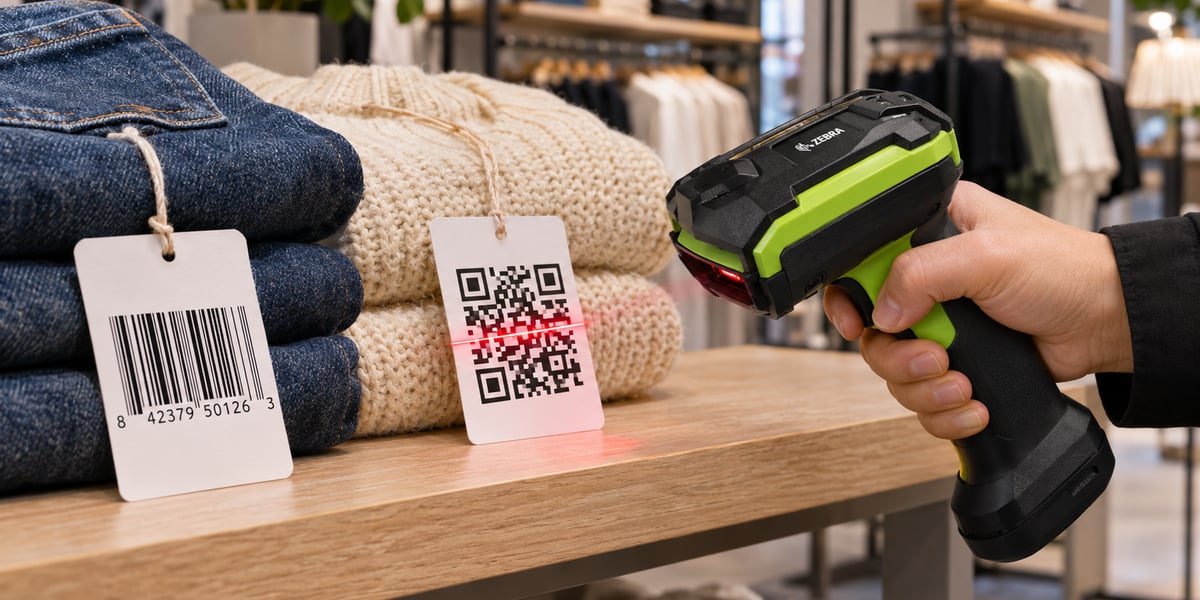
A 1D barcode stores data in a single line of bars and spaces, usually a short ID such as a 12-digit UPC-A, and acts as a pointer to a record in a database. A 2D barcode stores data across both its width and its height, holds up to thousands of characters, and carries built-in error correction, so it can hold lot numbers, expiry dates and web links itself and still scan when it is scratched or dirty.
Use a 1D barcode when a simple ID is the only stored data required, and your existing laser or linear scanners are enough to do the job. Use a 2D barcode when the label needs to store more data, have a smaller footprint, damage tolerance, or a phone screen read. Most buyers end up choosing a 2D and QR scanner, because these 2D imagers read both kinds barcodes. Levata offers an entire product category of 2D scanners that can read 1D barcodes, 2D barcodes, QR codes, and complex barcodes. The sections below cover barcode structure, scanning capacity, barcode damage implications, scanning hardware options, and common uses by type.
In this article
The difference between 1D and 2D barcodes is the amount of data they hold and the direction a scanner reads them. A 1D barcode, also called a linear barcode, encodes data in the widths of its bars and spaces and is read along one line. A 2D barcode encodes data in a grid of modules and is read across both its width and its height.
That one change explains most of the other differences. A 1D code is short because it only grows wider, so it usually only stores an identifier. A 2D code grows in two directions, so it can store the identifier plus additional details that would otherwise live in a database.
| Feature | 1D barcode | 2D barcode |
|---|---|---|
| Shape | Parallel bars and spaces | Grid of squares or dots |
| Read direction | One line across the bars | Width and height of the symbol |
| Common types | UPC-A, EAN-13, Code 128, Code 39 | QR Code, Data Matrix, GS1 DataMatrix, PDF417 |
| Typical content | A short ID, such as a 12-digit UPC-A or 13-digit EAN-13 | An ID plus batch, expiry, serial number or a web link |
| Data capacity | 12 digits in UPC-A, 13 digits in EAN-13 | Up to 2,335 alphanumeric characters in GS1 DataMatrix, 4,296 in QR Code |
| Built in error correction | No, catches misreads only | Yes, QR Code and Data Matrix use Reed-Solomon codes |
| Needs a database lookup | Almost always | Often not, the data travels in the code |
UPC-A and EAN-13 are the codes on most retail products. Both carry a Global Trade Item Number, and UPC-A holds 12 digits while EAN-13 holds 13, according to GS1. The 2D capacities list DataMatrix at 2,335 alphanumeric or 3,116 numeric characters and QR Code at 4,296 alphanumeric or 7,089 numeric characters.
What 1D and 2D barcodes store comes down to a pointer versus the data itself. A UPC-A stores the 12-digit GTIN, and nothing in the code says which batch the item came from or when it expires. The scanner reads the number and the point-of-sale system looks up the price. Code 128 and other 1D type barcodes hold more characters than a UPC-A, but every added character makes the label longer.
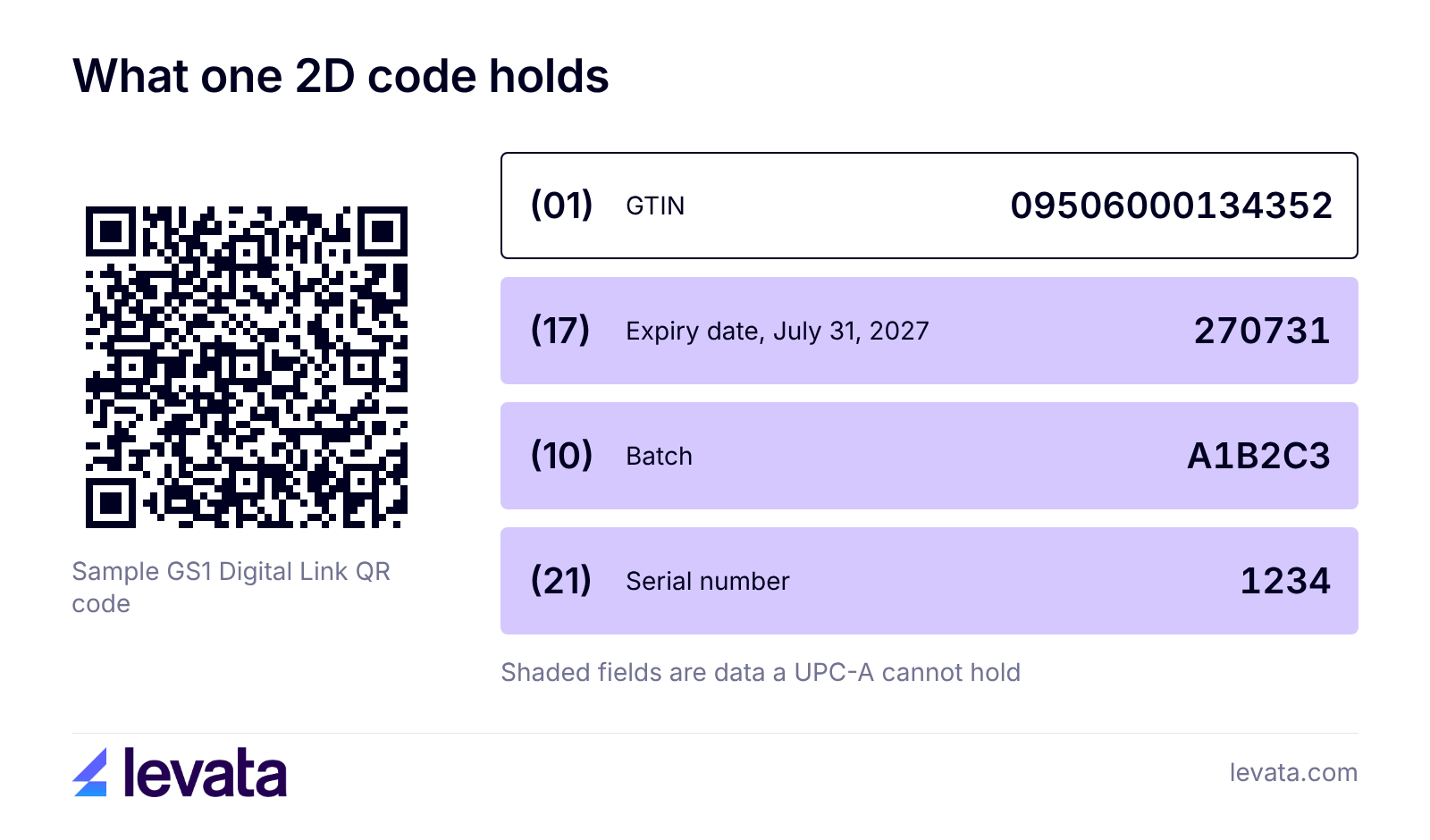
A GS1 2D barcode carries the same GTIN and adds the details in fields marked by Application Identifiers. GS1 describes 2D barcodes that hold the batch, expiry date and serial number alongside the product number, and GS1 Digital Link QR codes can open a web page via a phone scan. A sample string reads (01) 09506000134352 (17) 270731 (10) A1B2C3 (21) 1234. The (01) field always holds 14 digits, so a shorter GTIN gets leading zeros. The example string contains a GTIN, an expiry date of July 31, 2027, a batch code of A1B2C3, and a serial number of 1234.
The same Data Matrix at the pharmacy shelf or the recall desk answers the question "which lot is this?" without a lookup. A 1D code needs the lookup first, so the answer is only as current as the database behind it.
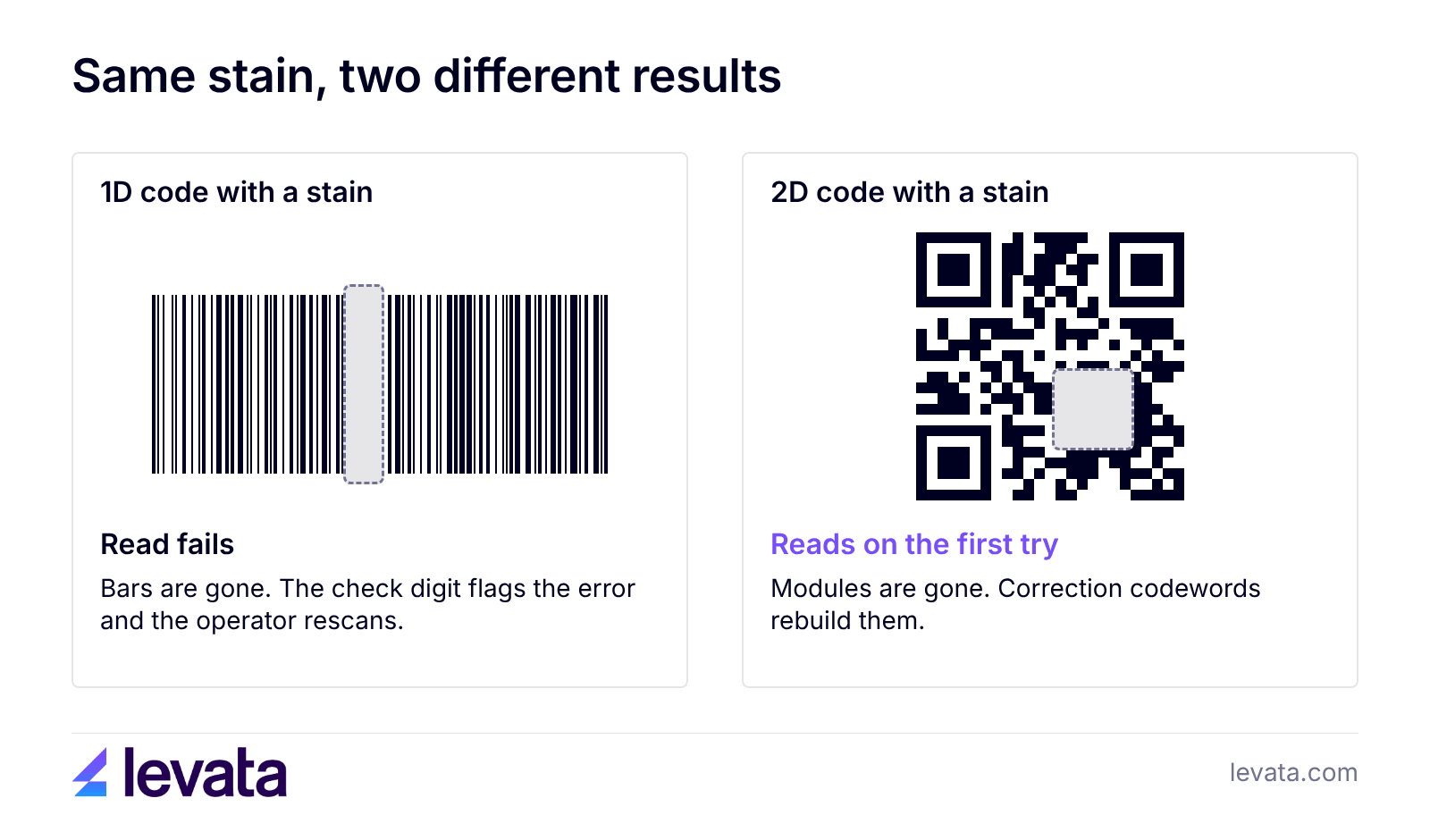
1D and 2D barcodes handle damage differently, where only 2D codes carry error correction. A 1D barcode is read along one line, so a scratch or smudge that crosses that line breaks the read. The check digit tells the scanner the read is wrong, but it cannot repair it, so the operator needs to attempt a rescan or manually type the number to access the identifier.
QR Code and Data Matrix store extra codewords using Reed-Solomon error correction, which lets the scanner rebuild missing modules. Keyence compares Data Matrix and QR codes and covers how each handles marking and wear to the label. The practical result is that a 2D label with a torn corner or a stripe of dirt often still scans on the first try.
Error correction has a cost. The more of the symbol you reserve for correction, the larger the code has to be for the same data. The label printer dictates that level, so check the setting on the label software before you assume a 2D code is damage proof.
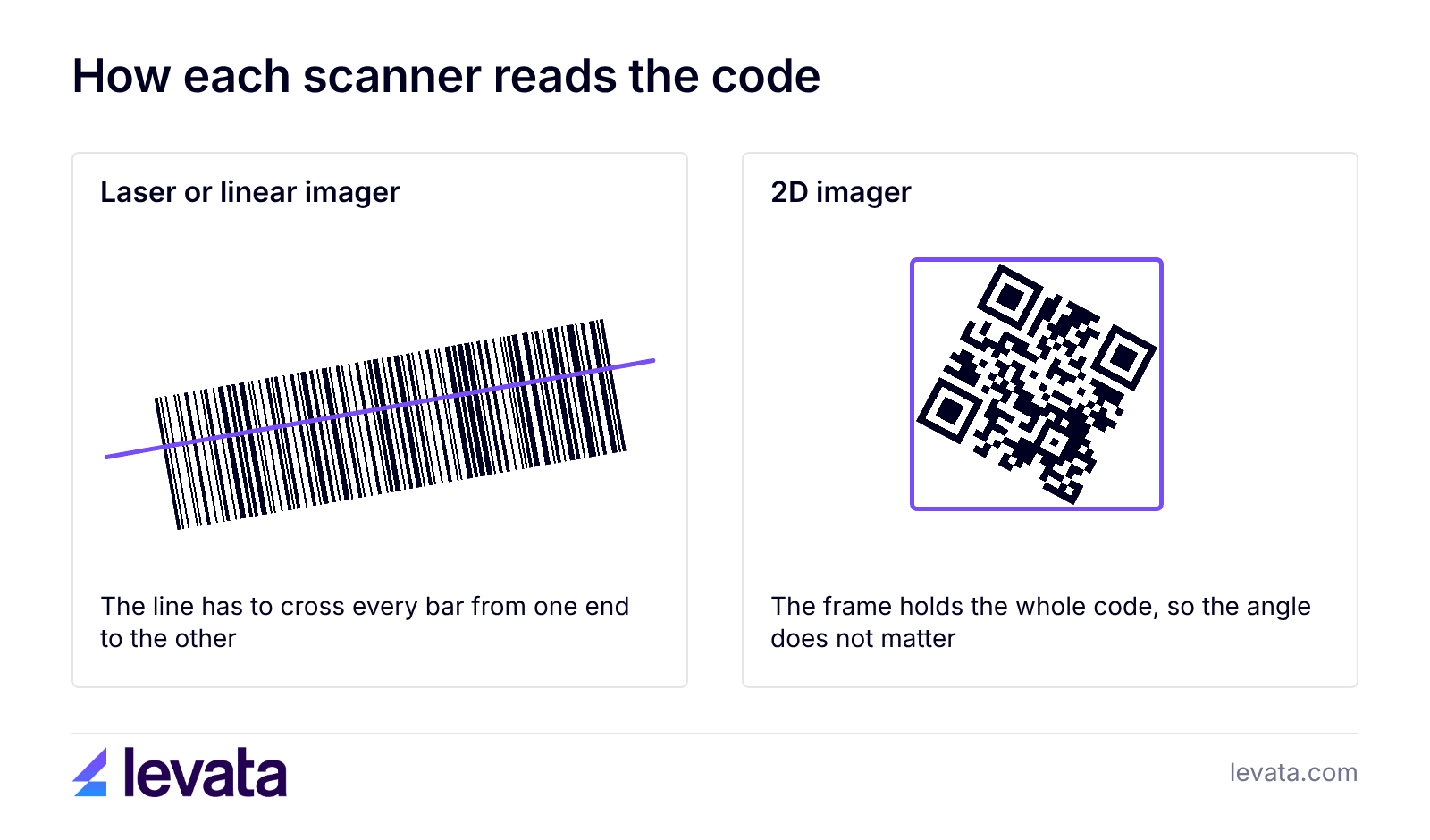
1D and 2D barcode scanners read each type in a different way, and the scanner you own decides which codes you can capture. A laser scanner sweeps a beam across the bars and measures the reflected light. A linear imager does the same job with a row of sensors and no moving parts. A 2D area imager takes a picture of the whole symbol and decodes it from the image.
| Scanner type | Reads 1D codes | Reads 2D codes | Needs the beam lined up across the bars |
|---|---|---|---|
| Laser scanner | Yes | No | Yes |
| Linear imager | Yes | No | Yes |
| 2D area imager | Yes | Yes | No |
Scanner beam alignment necessary to capture a scan matter at a busy loading dock or at a long retail checkout one. A 2D imager decodes a code from any angle, so operators do not need to rotate the item to match the scanner. Zebra's explanation of 2D barcodes also notes that 2D imagers read codes from phone and computer screens, which laser scanners are not built for.
Any of the three scanner types read a 1D code, and a 2D code needs a 2D imager or a camera, such as the one in a smartphone. Levata carries both families. The 1D scanners suit closed environments where every label is a linear code. The 2D scanners cover mixed labels, screens and the newer GS1 codes.
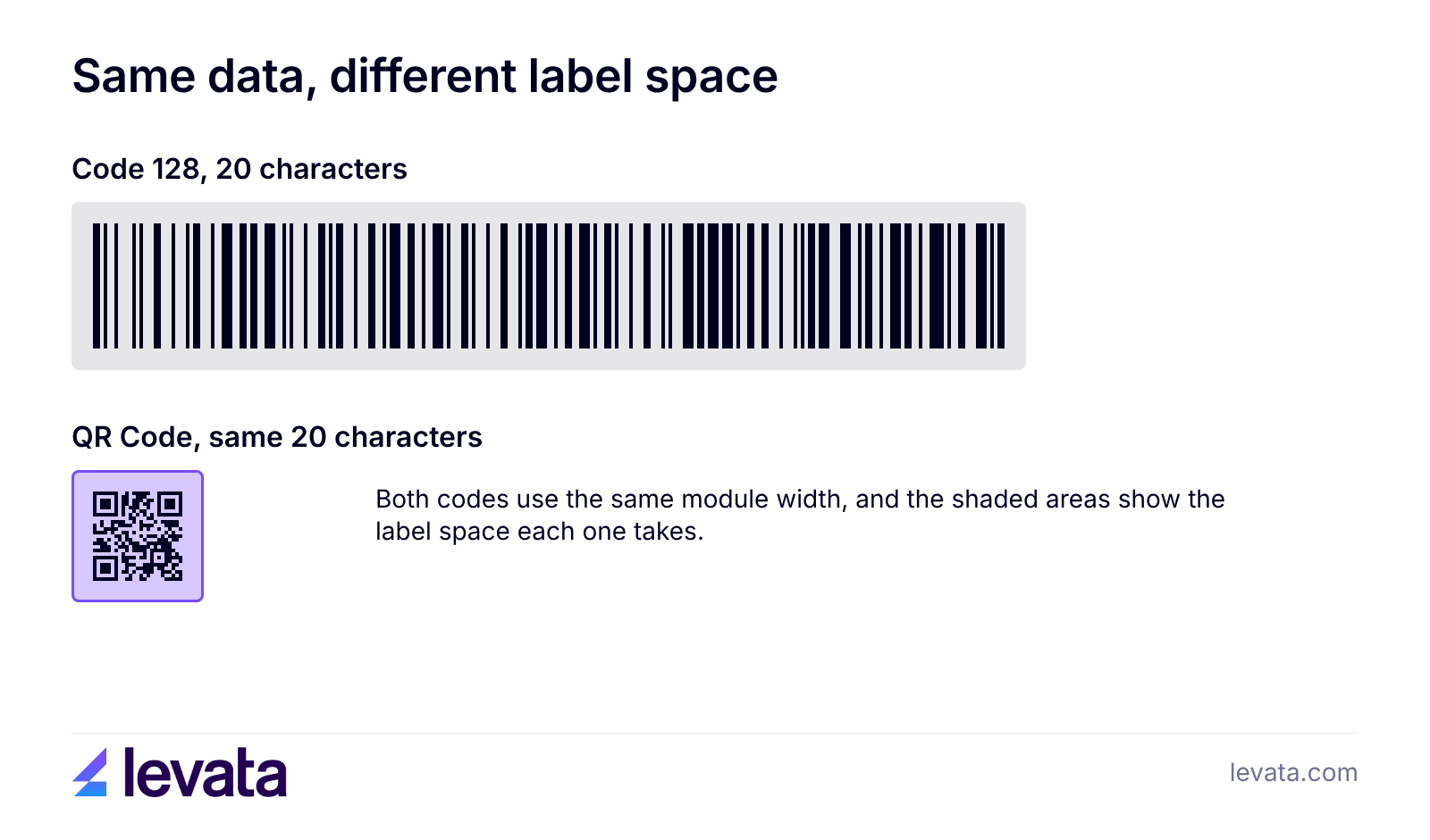
Barcode size is where a 2D code usually wins, because it holds the same data in a smaller area. A Code 128 label grows longer with every character, and a Data Matrix grows in both directions. On a small component, a vial or a jewelry tag, the 2D code is often the only one that fits.
That is why Data Matrix is common on small parts and direct part marking. Keyence's guide, linked above, covers laser marking of Data Matrix on metal and plastic, where a long linear code would not fit.
Small 2D codes need a clean print. Each module is a few dots wide, so a worn printhead or a low-resolution printer produces modules that blur together and fail to scan. Check the printer resolution against the module size you need and look at the label and card printers that match the job before you commit to a code size.
Use 1D barcodes when the code only has to identify an item and use 2D barcodes when it has to carry data, fit a small space or survive wear. The right pick usually follows the industry and the data the label must hold.
| Setting | Common code today | Why |
|---|---|---|
| Retail checkout | UPC-A and EAN-13, moving to GS1 2D | Existing registers read 1D, GS1 is moving point of sale to 2D |
| Pharmacy and healthcare | GS1 DataMatrix | Lot, expiry and serial travel with the package |
| Warehouse cartons, shipping labels and basic inventory | Code 128 | Short ID, printed in house, read by existing scanners |
| Small parts and electronics | Data Matrix | Small footprint, readable after marking |
| Mobile tickets, digital passes and marketing links | QR Code | Read from a phone display by a 2D imager, and opens a web page from a phone camera |
Retail is undergoing the biggest change related to barcodes and embedded data. GS1 calls the initiative "Sunrise 2027," eluding to the point by which retailers should be able to scan 2D barcodes at the point of sale. Videojet's summary of Sunrise 2027 covers the timeline for packaged goods, and GS1's 2D in retail guideline describes the 2027 implication and the scanning modes registers need. A business that buys scanners today should be buying for that change.
Healthcare is moving on a similar path. The FDA runs the Drug Supply Chain Security Act program that relies on product identifiers on drug packages, and it published a final rule on the national drug code format in March 2026. A longer NDC is another reason to prefer a code that has room for it.
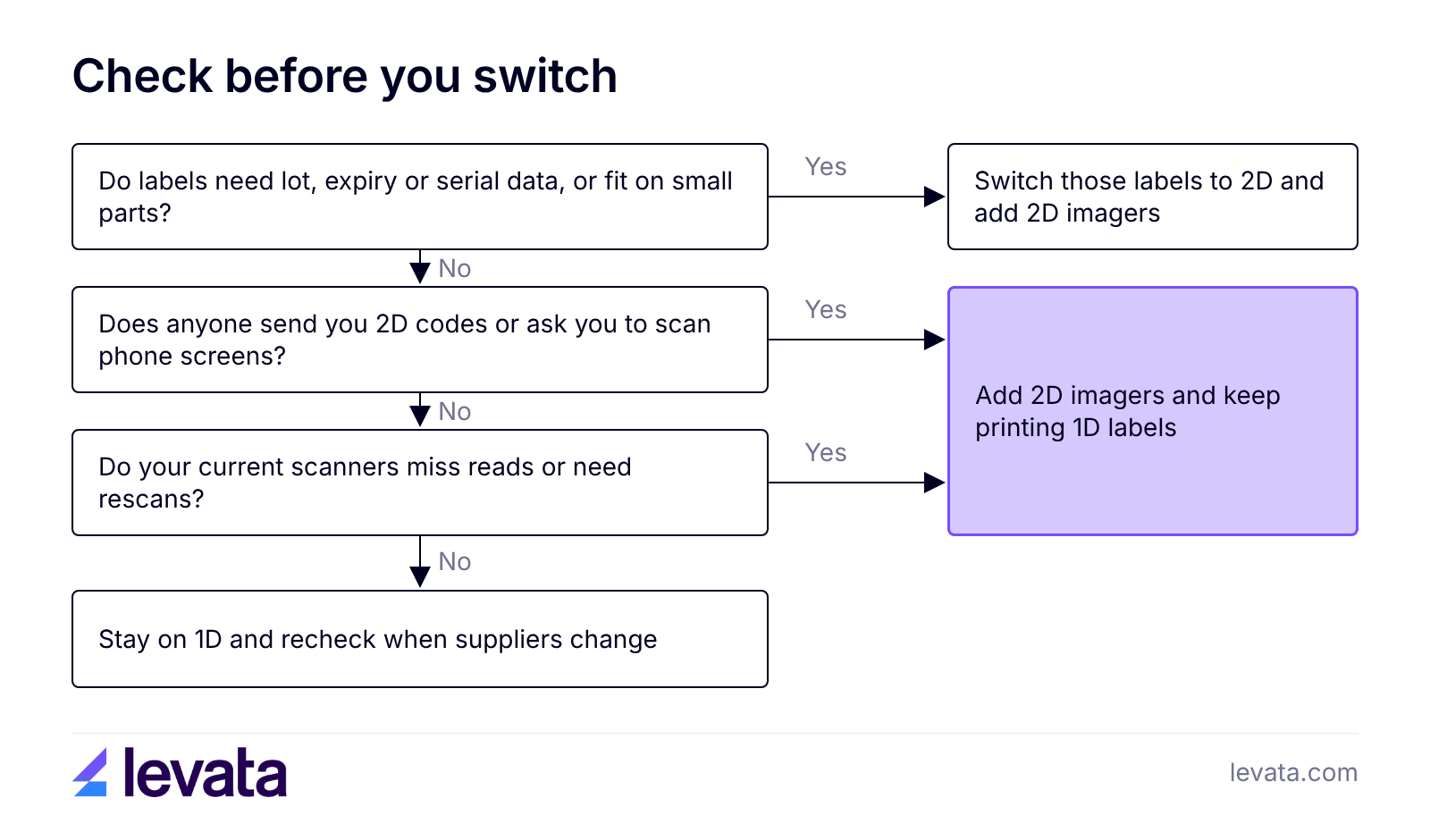
The tradeoffs of switching from 1D to 2D barcodes include scanner cost, print quality and what you gain in data and speed. A 2D imager usually costs more up front than a basic laser scanner. It also reads every 1D label you already have, so the switch does not force a relabel.
That gives a clean way to stage the move. Buy 2D imagers first, keep printing your current 1D labels, and add 2D labels where the extra data pays for itself, such as lot tracking or small parts. Suppliers that already send you 2D labels start working the day the imagers arrive.
1D is still the right choice in some places. A warehouse that prints its own Code 128 location labels, scans them with existing laser scanners, and never needs more than a short ID gains little from changing codes. Leave those labels alone and spend the budget where a 2D code removes a lookup or a rescan.
Both are 2D codes, and the main difference is where each is used. A QR Code is built to be read by phones and is common on tickets, packaging and marketing. A Data Matrix is built for small marks and is common on parts, electronics and healthcare packages.
No, a 2D imager reads 1D barcodes as well, so existing labels keep working. You only reprint when you want a 2D code to carry more data. Test a few labels from your own printers on the new scanner before a full rollout.
A 2D imager can read codes on screens, but a laser scanner is not designed to. If you scan mobile tickets, coupons or boarding passes, choose a 2D imager.
GS1 Digital Link is a way to put a GS1 identifier, such as a GTIN with a batch or serial number, into a web address that a QR code carries. A phone opens the product page, and a point-of-sale scanner reads the same code for the checkout data. GS1's page on 2D barcodes explains the format.
Choosing 1D or 2D barcodes for your scanners comes down to the data on the label. Pick 1D when a short ID and a lookup are enough, pick 2D when the code has to carry data, fit a small label or survive wear, and buy a 2D imager if you want to be ready for both. Your next decision depends on the labels you scan today and the ones your suppliers will send next.
A Levata specialist can review your current barcodes, scanners and workflow and tell you where 2D pays off and where 1D is fine. Speak to an expert to get a recommendation for your site.
This guide helps you choose a forklift computer by comparing vehicle mounted computers with rugged tablets and checking voltage, mounting and cold storage requirements before you buy.
Large mobile fleets can bury internal IT teams. Learn how managed mobility helps manufacturers reduce IT workload, minimize device downtime, strengthen security, and keep frontline workers connected and productive.
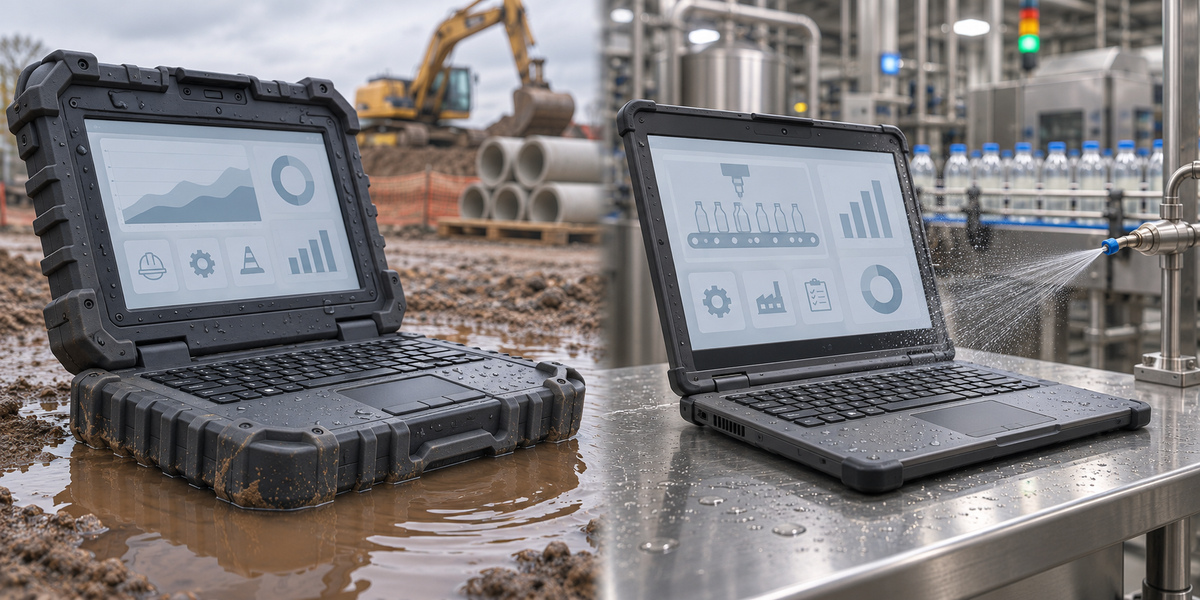
Semi rugged or fully rugged? Learn what IP ratings, drop tests and MIL-STD-810H claims really tell you, so you can match a laptop to the toughest day it will face. We compare real models side by side and show what the extra protection buys.
Welcome, ID Card Group customers!
On September 24th, IDCardGroup.com transitioned to Levata.com. You still have access to the ID solutions you rely on, along with a broader selection of data capture and technology solutions.
What you can expect:
Questions? Call 1-833-353-8282.
Thank you for choosing Levata.
Welcome, IT Planet customers!
On September 24th, ITPlanet.com transitioned to Levata.com. You still have access to the products you rely on, along with a broader selection of data capture and technology solutions.
What you can expect:
Questions? Call 1-833-353-8282.
Thank you for choosing Levata.
Welcome, Barcode Planet customers!
On September 24th, BarcodePlanet.com transitioned to Levata.com. You still have access to the products you rely on, along with a broader selection of data capture and technology solutions.
What you can expect:
Questions? Call 1-833-353-8282.
Thank you for choosing Levata.