
Select model
Prices could not be updated.
Same-day shipping
for orders placed before 2:30 p.m.
Learn more
Secure payment with

Description
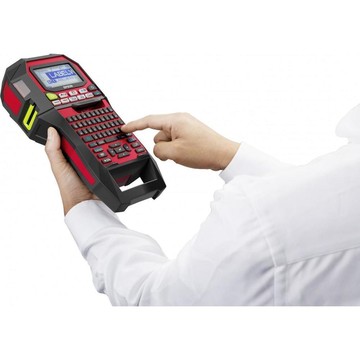
The Epson LabelWorks LW-Z900FK is an industrial-grade thermal transfer label printer designed for high-volume labeling environments in facilities management, manufacturing, IT infrastructure, logistics, and cable management applications. Printing at up to 35 mm/sec at 360 dpi resolution, it delivers sharp, professional labels across tape widths from 6 mm to 36 mm, including specialty formats such as heat shrink, cable wrap, die-cut, and magnetic tapes. An automatic cutter with half-cut function, pull-and-print capability, and mix-length printing support continuous, high-throughput workflows, while a minimum 1 mm print margin and auto tape rewind function help minimize consumable waste. The printer stores up to 100 label files internally, connects via USB 2.0, and is bundled with Epson Label Editor software featuring over 70 pre-installed templates and support for 14 barcode types.
Documents

FAQs
What print resolution and speed does the Epson LabelWorks LW-Z900FK deliver?
The LW-Z900FK prints at 360 dpi resolution and reaches a maximum speed of 35 mm/sec when powered by the AC adapter or Li-ion battery, or 15 mm/sec when running on 6 AA batteries.
What tape widths are compatible with the Epson LabelWorks LW-Z900FK?
The printer supports tape widths of 4 mm, 6 mm, 9 mm, 12 mm, 18 mm, 24 mm, and 36 mm, covering a broad range of industrial labeling applications including cable wrap, heat shrink, die-cut, and magnetic tapes.
What barcode symbologies can the Epson LabelWorks LW-Z900FK print?
In standalone handheld mode the LW-Z900FK supports 9 barcode types: EAN-8, EAN-13, Code 39, Code 128, UPC-A, UPC-E, ITF, CodaBar, and QR Code. When used with Epson Label Editor software, 14 types are available, adding NW-7 (CodaBar), EAN-128 (GS1-128), GS1 DataBar, MaxiCode, PDF417, and DataMatrix.
What is included in the box with the Epson LabelWorks LW-Z900FK?
The LW-Z900FK ships with a power adapter, USB cable, installation guide, one 12 mm black-on-white tape (4 m), one Li-ion battery (1,950 mAh), two magnetic attachments, and a carrying case.
How does the Epson LabelWorks LW-Z900FK connect to a PC, and which operating systems does the Label Editor software support?
The printer connects via USB 2.0, and the bundled Epson Label Editor software is compatible with Windows Vista, 7, 8, 8.1, and 10.
What power options does the Epson LabelWorks LW-Z900FK support, and how long does the Li-ion battery take to charge?
The LW-Z900FK can be powered by the included AC adapter, one Li-ion battery (1,950 mAh), or six AA alkaline batteries (not included); the Li-ion battery charges in approximately 3 hours.
-
Manufacturer: Not specified
-
Price: Not specified
-
Target Industry: Not specified
-
RFID: Not specified
-
Rugged: Not specified
-
Print Speed: Not specified
-
Color Printing: Not specified
-
POS: Not specified
-
Equipment Format: Not specified
-
Battery Capacity: Not specified
-
DPI: Not specified
-
Case color: Not specified
-
Connection: Not specified
-
Optional Upgrades: Not specified
-
Max Width: Not specified
-
Max Label Length: Not specified
-
Printing Technology: Not specified
-
Battery Features: Not specified
-
Manufacturer: Not specified
-
Price: Not specified
-
Target Industry: Not specified
-
RFID: Not specified
-
Rugged: Not specified
-
Print Speed: Not specified
-
Color Printing: Not specified
-
POS: Not specified
-
Equipment Format: Not specified
-
Battery Capacity: Not specified
-
DPI: Not specified
-
Case color: Not specified
-
Connection: Not specified
-
Optional Upgrades: Not specified
-
Max Width: Not specified
-
Max Label Length: Not specified
-
Printing Technology: Not specified
-
Battery Features: Not specified
-
Manufacturer: Not specified
-
Price: Not specified
-
Target Industry: Not specified
-
RFID: Not specified
-
Rugged: Not specified
-
Print Speed: Not specified
-
Color Printing: Not specified
-
POS: Not specified
-
Equipment Format: Not specified
-
Battery Capacity: Not specified
-
DPI: Not specified
-
Case color: Not specified
-
Connection: Not specified
-
Optional Upgrades: Not specified
-
Max Width: Not specified
-
Max Label Length: Not specified
-
Printing Technology: Not specified
-
Battery Features: Not specified
Epson
Labelworks Lw-Z900Fk Qwerty Thermal Transfer, 35Mm/Sec, Qwerty, Usb 2.0 Type B, Usb 1.1 Type B, Li-Ion
C51CE51110
Call for pricing or to purchase
Epson
LabelWorks LW-Z900FK (QWERTZ)
C51CE51120
Call for pricing or to purchase
Epson
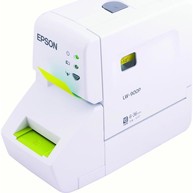
LABELWORKS LW-900P: 360x360 dpi/ Druckgeschwindigkeit: 25,4 mm/sek....
C51C540080
Call for pricing or to purchase
Epson
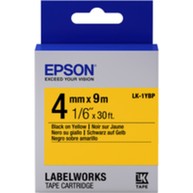
TAPE - LK1YBP PASTEL BLK/: Label Cartridge Pastel LK-1YBP Black/Yel...
C53S651002
Call for pricing or to purchase